
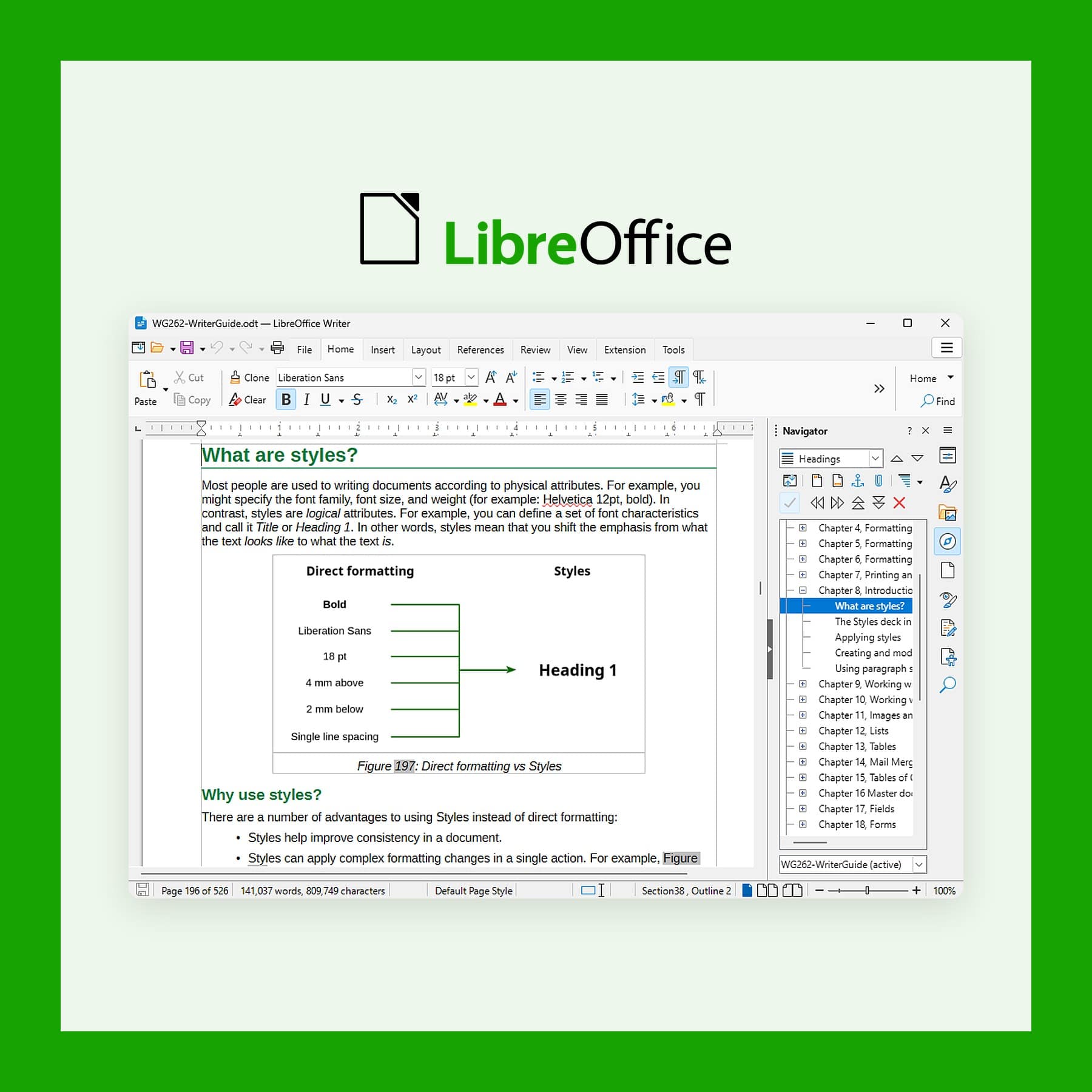
LibreOffice: the Free Microsoft Office Alternative
Last updated: 12 October 2026
LibreOffice is a free, open source office suite with a word processor, spreadsheet and presentation app, and it opens and saves Word, Excel and PowerPoint files. For anyone who wants a Microsoft Office alternative without moving their documents into Google Docs, LibreOffice runs on your own computer and works offline. It is free, against £84.99 a year for Microsoft 365 Personal. I checked the versions on libreoffice.org and Microsoft's UK prices on 12 October 2026.
What LibreOffice replaces, and how well
LibreOffice replaces the desktop Microsoft Office apps. For example, Writer stands in for Word, Calc for Excel and Impress for PowerPoint. It also includes Draw for diagrams and simple layouts, Base for databases in the way Access works, and Math for writing formulas. The apps are installed on your machine, so nothing you type goes to a remote server.
For letters, reports, CVs, budgets, household spreadsheets and slide decks, it does the job well. However, the gaps show up with complex Office files: spreadsheets built on Excel macros, the newest Excel chart types and heavily designed PowerPoint templates. Those open, but they can need fixing by hand.
Do Mac users need it?
On a Mac, Apple's Pages, Numbers and Keynote are already free, and Apple confirms they stay free alongside its paid Apple Creator Studio bundle, which adds premium templates and AI tools for £12.99 a month. For documents that stay on Apple devices, they work well. However, they save in Apple's own formats, and they are not available on Windows. If you work with people who send Word and Excel files, or you switch between a Mac and a Windows PC, LibreOffice keeps you on the Microsoft formats on every machine without a subscription.
It is also the answer for anyone who does not want a Google account holding their documents. Google Docs is free too, but your files live in Google's cloud and editing offline needs setting up in advance.
Key features in LibreOffice 26.8
- Six apps in one download: Writer, Calc, Impress, Draw, Base and Math.
- Microsoft format support: opens and saves DOCX, XLSX and PPTX, plus older DOC, XLS and PPT files and Publisher files.
- PDF export: built in, with options for forms and accessibility tags.
- No AI features: The Document Foundation states that nothing in 26.8 contacts a remote server.
- Better justified text: a new paragraph composer spaces justified lines more evenly.
- Variable fonts: support for OpenType variable fonts.
- Pivot tables: calculated fields in Calc's pivot tables.
Who makes LibreOffice, and which version to download
LibreOffice comes from The Document Foundation, a non-profit based in Berlin. It is released under the Mozilla Public License 2.0. Version 26.8 came out on 26 August 2026, and then the 26.8.1 update became available on 8 October 2026. The download page also offers 26.2.6, the older and more tested branch, which is supported until 30 November 2026. The Foundation suggests 26.8 for experienced users, while 26.2 suits work where stability matters most.
Schleswig-Holstein in northern Germany has made LibreOffice its standard office software, and the state government says nearly 80 per cent of its workstations outside the tax office now use it, saving more than €15 million in licences.
How to get it
Download it free from libreoffice.org for Windows, Mac or Linux. On a Mac, pick the Apple silicon build for any Mac from 2020 onwards with an M-series chip. LibreOffice is also on the Mac App Store for £8.99, sold by The Document Foundation. That is the same software as the free download, minus the features that need Java, such as some of the database tools in Base, so the free download is the better choice.
Get LibreOffice for Windows, Mac or Linux
Macros, new Excel charts and live co-editing
First, Excel macros written in VBA run only partly. LibreOffice's help pages say its VBA support covers common uses but that you may have to edit the code. The newest Excel chart types, such as waterfall and treemap charts, survive a round trip but cannot yet be displayed or edited. And there is no Google Docs-style live co-editing in the desktop apps, so two people cannot type in the same file at once.
The default toolbars also look older than Microsoft's ribbon. Still, you can switch to a tabbed layout similar to Microsoft's ribbon under View, User Interface, which helps if you are moving over from Word. Finally, the full list of changes in 26.8 is in The Document Foundation's release announcement.
FAQs
Is LibreOffice completely free?
Yes. The download from libreoffice.org is free for home and business use. The £8.99 Mac App Store copy is the same software, so it is optional.
Can LibreOffice open Word and Excel files?
Yes. It opens and saves DOCX, XLSX and PPTX. However, complex files with macros or the newest chart types may need fixing.
Is LibreOffice better than Pages and Numbers on a Mac?
It is better if you share files with Word and Excel users or also use a Windows PC. But if all your documents stay on Apple devices, Pages, Numbers and Keynote are free and polished.
How much does Microsoft 365 cost in the UK?
Microsoft 365 Personal is £84.99 a year or £8.49 a month, and Family is £104.99 a year. LibreOffice is free. I checked Microsoft's prices on 12 October 2026.
Does LibreOffice have AI features?
No. The Document Foundation has kept AI out of LibreOffice 26.8, so the suite does not contact a remote server.
More from CoolCuration
- Penpot: free, open source design and prototyping in your browser.
- Best refurbished laptops UK: where to buy a used laptop with a proper warranty.
- Framework wireless touchpad keyboard: a keyboard with a touchpad built in, for a tidy desk.
- Structured daily planner: a visual day planner for iPhone, iPad and Mac.
- Gifts for students: useful presents for anyone heading off to university.



Follow us: Instagram
Copyright 2026 CoolCuration | Privacy Policy | Cookie Policy | Affiliate Disclosure | Cool Factor
-----------
We are proud supporters of a safer more private internet via encouraging people to use Brave browser and are actively taking on Spammers as part of ProjectHoneypot. This site is hosted on servers that run on 100% renewable energy in the UK thanks to GreenWebHosting.
This site contains affiliate links, including to Amazon.com and Amazon.co.uk. We may earn a commission if you make a purchase or sign up for a service via these links, at no extra cost to you. All offers and promotions are accurate at the time of publication but are subject to change or withdrawal by the businesses featured. We cannot guarantee their continued availability. Read our full affiliate disclosure.
Reviews and opinions on CoolCuration reflect the personal experience of our writers at the time of publication. They are not professional endorsements and your experience may differ. Scores use our Cool Factor rating system and are given independently of any commercial relationship.
All content on CoolCuration is provided for informational and entertainment purposes only. It does not constitute financial advice, investment recommendations or an endorsement of any product or service. We are not authorised by the Financial Conduct Authority and do not offer personalised financial guidance. You should always do your own research or consult a qualified financial advisor before making any financial decisions.