
Last updated: 26 March 2026
If you are still working out which ecosystem to commit to, start with our smart home guides instead.
By Stiv · Design, technology and personal finance
This is an opinion piece. Views expressed are the author's own and do not constitute professional advice.
This article contains affiliate or referral links. If you click through and sign up I may earn a commission or referral bonus at no extra cost to you. It does not affect my editorial view.
Cool Factor: 4/5 — Stone cold
If your smart-home lighting setup now involves more bulbs than your family has opinions, you need a proper conductor. That's exactly what the Philips Hue Bridge Pro sets out to be. In this Hue Bridge Pro review, we'll dig into whether Signify's upgraded hub truly earns the "Pro" badge, or if it's just the old Bridge in a new graphite suit. After several months of real-world use, here's our honest verdict.
What Is the Hue Bridge Pro?
The Hue Bridge Pro is Signify's flagship smart-lighting hub, launched in September 2025. It replaces the ageing Hue Bridge V2 as the brains behind your entire Philips Hue setup. In short, it connects all your Hue bulbs, sensors, switches and accessories, then lets you control them through the Hue app, voice assistants or automations.
So what makes it "Pro"? Compared with the standard Bridge, you get three times the capacity (150+ lights, 50+ accessories, 500 scenes), a significantly faster quad-core 1.7 GHz processor, Wi-Fi connectivity, and the headline feature: MotionAware. At £79.99 RRP (currently around £72 on Amazon UK), it sits at a premium over the older Bridge but not by a huge margin.
Hue Bridge Pro Review: First Impressions
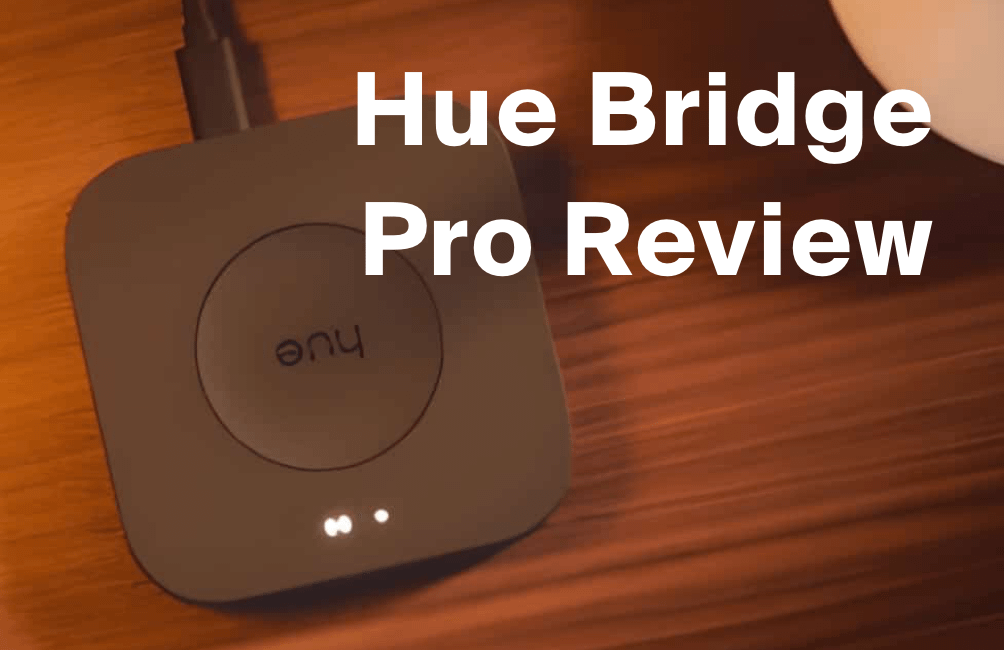
Out of the box, the Bridge Pro looks almost identical to its predecessor. The main visual difference is the darker graphite finish. It's still a small, understated puck that you'll likely tuck behind a router or on a shelf. Nothing flashy here, which is exactly how a hub should be.
Setup felt smooth. You plug in via USB-C (a welcome upgrade from micro-USB), connect over Wi-Fi or Ethernet, and follow the Hue app's migration wizard. If you're coming from a single older Bridge, the process carries over your rooms, scenes and automations without drama. Initially, multi-bridge migration wasn't supported, but a firmware update in December 2025 now allows you to consolidate multiple bridges into one Pro. That's a major quality-of-life improvement for anyone who previously needed two hubs.
The Hue Bridge Pro Experience: MotionAware
MotionAware is the marquee feature, and it's genuinely clever. By monitoring fluctuations in the Zigbee signals between your existing bulbs, the Bridge Pro can detect when someone enters a room. As a result, your lights switch on automatically without any dedicated motion sensor hardware.
You need at least three compatible Hue lights per room to create a motion zone, and you can set up to four zones per Bridge Pro. In practice, the detection is reliable and surprisingly fast. Walking into the kitchen triggers the lights within a second or two. It's not quite as instant as a dedicated PIR sensor, but for everyday use it's excellent.
The MotionAware Cost Catch
Here's something the original marketing glosses over. Basic MotionAware (lights turn on when motion is detected) is completely free. However, if you want security alert notifications sent to your phone when motion triggers, you'll need a paid MotionAware subscription at roughly £0.99 per month or £9.99 per year. Alternatively, a Hue Secure subscription covers this too. It's not a dealbreaker, but it's worth knowing before you buy.
Hue Bridge Pro Review: Performance and Capacity
The raw numbers tell the story. Support for 150+ lights and 50+ accessories is a massive upgrade from the old Bridge's ceiling of 50 lights and 10 accessories. For most households, you'll never hit those limits. For larger homes or serious smart-home enthusiasts, though, this headroom is exactly what was needed.
Response times are noticeably snappier too. Signify claims five times faster processing thanks to the new Hue Chip Pro, and in daily use, lights respond to commands and automations with less lag. Scenes involving multiple rooms trigger more quickly, and the app feels more responsive overall.
One minor gripe: despite the "Pro" label, the Ethernet port is still limited to 10/100 Mbps. There's no Gigabit Ethernet and no Power over Ethernet. For home users this won't matter, but it does take the shine off the "Pro" branding slightly.
Value for Money
At £79.99 RRP (or around £72 on Amazon), the Bridge Pro costs roughly £30 more than the standard Bridge. Given the tripled capacity, MotionAware, Wi-Fi flexibility and faster hardware, that premium feels reasonable. If you consider that a single Hue motion sensor costs around £35, the MotionAware feature alone can pay for the price difference.
That said, if you only run a handful of bulbs and don't plan to expand, the standard Bridge still does the job. The Pro is best suited to households with 20+ lights or anyone who wants room to grow.
Hue Bridge Pro Review: The Verdict
Cool Factor
★★★★☆
4 out of 5
The Bridge Pro is a genuinely impressive upgrade. MotionAware is a clever and cost-saving innovation, the expanded capacity future-proofs your smart-home setup, and the Wi-Fi option gives you placement flexibility you never had before. Multi-bridge migration now works too, which removes one of the biggest early-adopter frustrations.
It's not perfect. The subscription requirement for MotionAware security alerts is a bit cheeky, the Ethernet port could be faster, and the Apple Home integration for Hue Secure cameras (promised for Q1 2026) has been quietly delayed. These are minor quibbles, though, in an otherwise excellent product.
Check latest Hue Bridge Pro price on Amazon UK
Overall, a solid 4/5 Stone cold. The Hue Bridge Pro impressed us with its expanded capacity, snappy performance and the genuinely inventive MotionAware feature. It didn't quite hit Ice cold because of the subscription gotcha for security alerts and the delayed Apple Home promise. For anyone building out a serious Philips Hue setup, though, this is the hub to buy.
This page contains affiliate links. If you buy through them, we may earn a small commission at no extra cost to you. All opinions remain our own.
Frequently Asked Questions
Is the Hue Bridge Pro worth upgrading to from the old Bridge?
If you have more than 20 lights or plan to expand your setup, absolutely. The tripled capacity, MotionAware feature and faster response times justify the upgrade. However, if you're happy with a small setup under 50 lights, the standard Bridge still works well.
Is MotionAware free to use?
The basic feature (lights turning on when motion is detected) is free. However, security alert notifications require either a MotionAware subscription (roughly £0.99/month or £9.99/year) or a Hue Secure plan.
Can I merge multiple old Bridges into one Bridge Pro?
Yes. Since a firmware update in December 2025, multi-bridge migration is now supported. You can consolidate multiple Hue Bridge V2 units into a single Bridge Pro through the Hue app.
Does the Hue Bridge Pro work with Alexa, Google and Apple HomeKit?
Yes, the Bridge Pro works with Amazon Alexa, Google Assistant and Apple HomeKit. It also supports Matter for broader smart-home compatibility. Note that Apple Home integration for Hue Secure cameras has been delayed beyond the original Q1 2026 timeline.
How much does the Hue Bridge Pro cost in the UK?
The RRP is £79.99, but you can often find it for around £72 on Amazon UK. The standard Bridge costs roughly £35–50 by comparison.
More from CoolCuration
- Tapo P110M smart plug review — A budget-friendly way to add smart control to any appliance in your home.
- Blink Video Doorbell review — Our hands-on look at one of the most affordable smart doorbells on the market.
- Google Nest Learning Thermostat — The smart thermostat that learns your routine and cuts heating bills.
- Octopus Energy referral — Switch to one of the UK's most popular green energy suppliers and get a credit bonus.
- Gift guide for tech lovers — Our curated collection of the coolest gadgets and gear worth gifting.
- Brave browser — Browse faster and more privately with this excellent free alternative to Chrome.
What's trending






Recent posts
- Best Audiobooks October 2026: 10 UK Listens Ranked
 Ten new audiobooks for October 2026, from a full-cast Dracula with Jonathan Bailey to Russell T Davies reading his own television memoir.
 - Louis Fratino at David Zwirner ReviewLast updated: 4 October 2026 By Tristan · Arts, exhibitions and creative culture This is an opinion piece. Views expressed are the author's own and do not constitute professional advice. Exhibition reviewMayfair Saunas, subway cars and a lot of skin in Mayfair Louis Fratino at Zwirner is the American painter's first solo show in London,… Read more: Louis Fratino at David Zwirner Review
- What Is a Sprive Boost? Seven Days, and What It Actually PaysA Sprive boost lifts your cashback rate for seven days, and it arrives on its own. What mine paid, and why Supercharge is a display toggle rather than extra cashback.



No Comments.