
Snoop Referral Code UK: The Free App That Watches Your Bills
Last updated: 5 October 2026
This article contains affiliate and referral links, which are paid links. If you click one and buy or sign up, I earn a commission or referral bonus at no extra cost to you. Brands don't choose what I feature or what I say about them. This is general information, not financial advice.
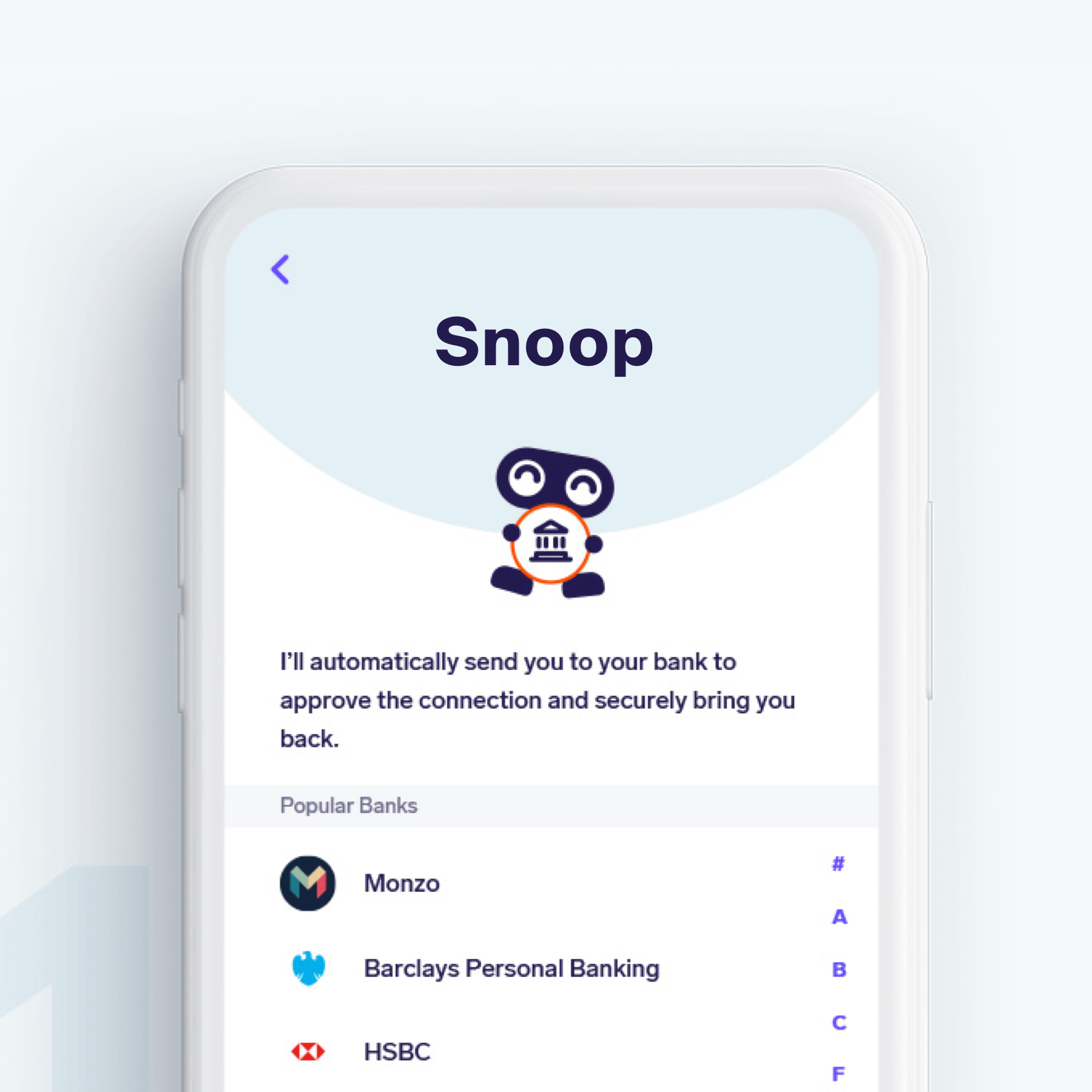
Snoop is a free UK money app that reads your bank and card transactions through Open Banking, sorts your spending and flags bills that go up. The Snoop referral code is an invite link rather than a code you type in, and there is no sign-up bonus for new users. The core app costs nothing, and Snoop Plus is £5.99 a month or £47.99 a year, as listed on snoop.app on 5 October 2026.
What Snoop does
You connect your bank accounts and credit cards to Snoop through Open Banking. Snoop then sorts your transactions into categories, so you can see what you spend on food, transport or subscriptions each month.
It also watches your regular payments. When a bill goes up, or a subscription renews that you may have forgotten about, Snoop sends you a tip. It calls these tips "Snoops", and some point you towards a cheaper energy, broadband or mobile deal.
Snoop makes money when you switch through it, because the new supplier may pay Snoop a fee. That is how the core app stays free.
How the Snoop referral link works
There is no code to enter. You open Snoop through the invite link, download the app and sign up as normal.
- Tap the Snoop invite link and download the app.
- Create your account.
- Connect a bank account or credit card through Open Banking, and keep it connected for at least 14 days.
New users do not get a sign-up bonus or any extra features for joining through an invite link. You get the same free app as everyone else.
Snoop free vs Snoop Plus
- Snoop (free): spending categories, bill tracking, price-rise alerts and switching tips.
- Snoop Plus: £5.99 a month or £47.99 a year, which Snoop describes as a more advanced budgeting experience, including unlimited custom categories.
Start on the free app. If you find yourself wanting your own categories after a month or two, Plus is there, and paying yearly works out at about £4 a month.
Is Snoop safe?
Snoop connects through Open Banking, which lets regulated apps read your account data with your permission. Snoop says it never sees or asks for your bank password or login details. You can withdraw its access at any time, from the app or from your bank.
The budgeting side only reads your transactions. It cannot move money out of your accounts. The Open Banking website explains how the permissions work and how to cancel them.
Who it suits
- People with more than one bank: one view of spending across banks and cards.
- Anyone whose bills creep up: Snoop flags price rises at renewal time.
- Subscription collectors: it lists every recurring payment in one place.
For other free options, our guide to the best free budgeting apps in the UK compares Snoop with Emma, Plum and Monzo's own tools.
The limits
Snoop shows you where to save, but you still have to do the switching. A tip about a cheaper broadband deal saves nothing until you act on it.
Some tips are deals that pay Snoop when you switch, so check the price against a comparison site before you move.
Try Snoop through our invite link
FAQs
Is there a Snoop referral code to enter?
No. Snoop uses an invite link instead of a code. Tap the link, then sign up in the app as normal, and the invite is tracked automatically.
Do I get a bonus for using a Snoop referral link?
No. New users get the same free app whether or not they join through an invite link.
Is Snoop free?
Yes, the core app is free. Snoop Plus costs £5.99 a month or £47.99 a year, as listed on snoop.app on 5 October 2026.
Does Snoop hold my money?
The budgeting app does not. It reads your accounts through Open Banking and cannot move money out of them.
Can I stop Snoop seeing my accounts?
Yes. Disconnect an account in the app, or withdraw Snoop's access from your bank's app, at any time.
Snoop's features, prices and terms can change, so check snoop.app before you sign up. This page is general information, not financial advice; consider speaking to a qualified adviser about your own finances. This article contains affiliate and referral links, which are paid links. If you sign up through one, I earn a commission or referral bonus at no extra cost to you.
More from CoolCuration
- Best apps to save money UK: cashback and rewards apps that pay you back on everyday spending.
- TopCashback referral code: cashback on the spending you cannot cut, plus the sign-up bonus.
- Airtime Rewards: money off your phone bill when you shop where you already shop.
- Octopus Energy referral: £50 credit when you switch your energy supplier.

Follow us: Instagram
Copyright 2026 CoolCuration | Privacy Policy | Cookie Policy | Affiliate Disclosure | Cool Factor
-----------
We are proud supporters of a safer more private internet via encouraging people to use Brave browser and are actively taking on Spammers as part of ProjectHoneypot. This site is hosted on servers that run on 100% renewable energy in the UK thanks to GreenWebHosting.
This site contains affiliate links, including to Amazon.com and Amazon.co.uk. We may earn a commission if you make a purchase or sign up for a service via these links, at no extra cost to you. All offers and promotions are accurate at the time of publication but are subject to change or withdrawal by the businesses featured. We cannot guarantee their continued availability. Read our full affiliate disclosure.
Reviews and opinions on CoolCuration reflect the personal experience of our writers at the time of publication. They are not professional endorsements and your experience may differ. Scores use our Cool Factor rating system and are given independently of any commercial relationship.
All content on CoolCuration is provided for informational and entertainment purposes only. It does not constitute financial advice, investment recommendations or an endorsement of any product or service. We are not authorised by the Financial Conduct Authority and do not offer personalised financial guidance. You should always do your own research or consult a qualified financial advisor before making any financial decisions.