
Last updated: 22 August 2026
By Stiv · Design, technology and personal finance
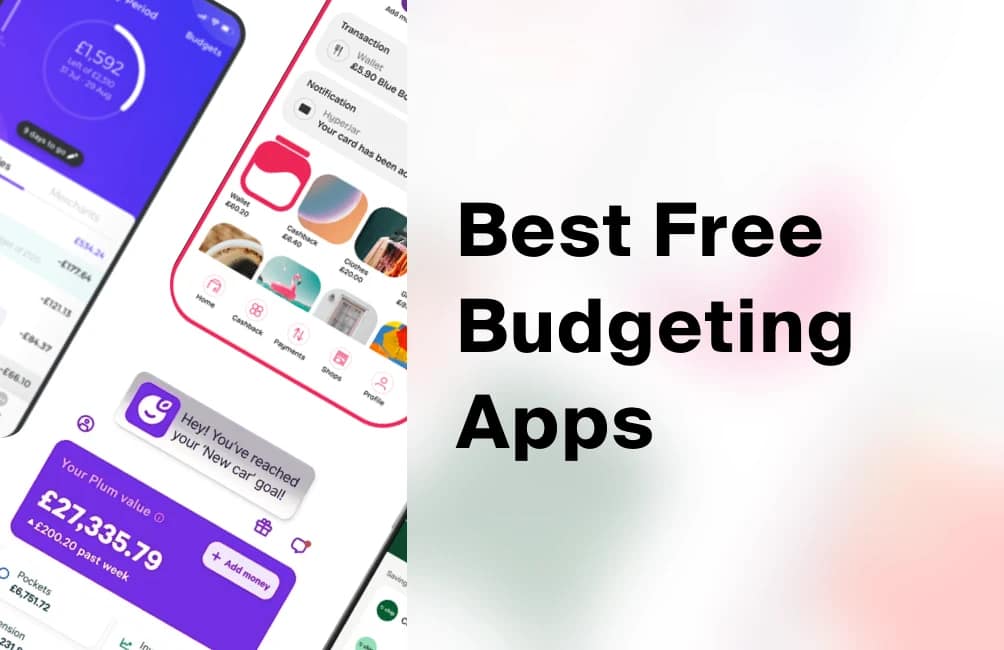
The best free budgeting apps worth your home screen in 2026.
The best free budgeting apps do one quiet, useful job: they show you where your money actually goes. So before payday vanishes in a blur, you can see it, name it, and nudge it somewhere better. I have tried most of the money apps on the UK market, and only a handful genuinely earn a spot on my home screen. Below are the ones I keep coming back to, what each free tier really includes, what is paywalled, and who each one suits.
This article contains affiliate or referral links. If you click through and sign up I may earn a commission or referral bonus at no extra cost to you. It does not affect my editorial view.
This is general information, not financial or debt advice. For tailored help, consider a qualified adviser or the free, government-backed MoneyHelper budget planner.
Want a Monzo sign-up bonus?
Monzo runs a refer-a-friend offer for new customers. The current bonus is a random reward from £5, up to £50 (sometimes up to £100) at the time of writing. We keep the exact steps to qualify up to date on our referral page.
First, a quick word on what "budgeting app" actually means, because the term covers two very different things. Some apps simply read your spending and hand it back to you, sorted and searchable. Others hold money for you and help you save or invest it. Both count, so I have included a mix. Meanwhile, some apps pay you back through cashback and rewards. Our wider guide to the best apps to save money in the UK covers that side of the coin.
Section 01 / The all-rounder
Start with the bank you already budget inside
If your budgeting lives where your money already is, you are far more likely to keep it up.
 For the person who wants one app
01
For the person who wants one app
01
Monzo
Monzo is a full UK bank, and its budgeting tools come free on the basic account. So you get three core tools. Pots give you separate pockets for rent, bills and savings. Trends shows a running picture of what you spend and where. The Salary Sorter then splits your pay across your Pots the moment it lands. Because it is your actual current account, the numbers stay live. No syncing, no guesswork. Monzo does sell paid plans (Extra, Perks and Max) that add extras like interest and insurance, but you never need them just to budget.
On safety: Monzo Bank Limited is a UK bank, so eligible deposits are protected up to £120,000 per eligible person by the FCA-backed FSCS scheme. That is the strongest protection on this list.
for the person who wants their bank and their budget in one place
I have used Monzo as a main account for years, and the Salary Sorter is the feature that quietly changed how I budget. Rent, bills and "fun money" get boxed off automatically, so what is left in the main balance really is spendable. For a full head-to-head of the accounts themselves, see our best current account UK guide, and there is a deeper look in our Monzo review.
Section 02 / The trackers
Apps that read your money and hand back the truth
These two connect to your accounts, sort every transaction, and never hold a penny of your cash.

Emma
Emma is the app I actually open. It connects to your accounts through Open Banking, then sorts every transaction into categories so you can spot the leaks. Free Emma covers the essentials: link all your accounts, set budgets, and hunt down the subscriptions you forgot you were paying for. Crucially, it never holds your money, it only reads it, so there is nothing to move and nothing to lose. Paid tiers add more. Emma Plus is £4.99 a month (£41.99 a year), while Pro is £9.99 and Ultimate is £14.99. Those tiers layer on cashback, custom categories and net-worth tracking. Still, the free version already does the core job well.
for the spender who wants an honest, itemised picture
Want the deeper dive first? Our full Emma app review weighs up whether the paid tiers are worth it.

Snoop
Snoop reads your accounts through Open Banking too, then fires off little tips (it calls them "Snoops") whenever a bill creeps up or a better deal appears. So it leans less on strict envelopes and more on plugging leaks for you. The core money management is free. There is a paid Snoop Plus tier at £5.99 a month or £47.99 a year for deeper insights. Snoop also offers an optional savings account if you want one. Like Emma, though, Snoop's budgeting does not hold your everyday money. It connects and reads it, and most people never need to pay a thing.
for the person who wants an app that spots savings for them
The best budgeting app is simply the one you will actually open. Features come second.
Section 03 / A different way to budget
When categories do not click, try jars
Some of us budget far better with pots we can see than with a report we have to check.

HyperJar
HyperJar brings the old envelope method into an app. First you load money in. Then you split it into Jars for food, petrol, clothes and so on. Finally, you spend straight from each Jar with the card. So the budget becomes the account itself, not a report you check later. It is free, with no monthly fee. One thing to know, though: HyperJar is a prepaid e-money account, not a bank. Your balance is safeguarded in segregated accounts under the e-money rules, which is different from FSCS deposit protection. In plain terms, your money is ring-fenced, but it is not covered by the £120,000 savings guarantee.
for the budgeter who likes money boxed off by job
Section 04 / Save without thinking
Let an app do the saving for you
If willpower is the weak spot, automation is the honest fix.

Plum
Plum's angle is automatic saving. It studies your incomings and outgoings, then quietly sets aside small amounts you will barely notice. Round-ups and the auto-saver come on the free Basic plan, so you can start for nothing. Paid plans then unlock more. Plus is £3.99 a month, Boost is £7.99, and Max is £14.99. Those tiers add higher interest and extra rules. Plum also offers savings and investing, so a caveat matters here. Cash savings sit with FCA-regulated partner banks. Eligible deposits there are protected up to £120,000 by the FSCS. Anything you invest, however, can fall as well as rise.
for the person who saves better on autopilot
Our full Plum app review goes deeper on the automations, interest and fees.

Chip
Chip started life as an auto-saver, and it now leans more towards saving and investing than day-to-day budgeting. The basic app is free to use, with no monthly cost. So think of it as a "set it and forget it" pot rather than a spend-tracker. If you want the full investment range, ChipX costs £5.99 every 28 days (or £4.99 if you pay annually). The investing side also carries its own fund charges. On protection: Chip's savings deposits are held by ClearBank, an FCA-authorised bank, so eligible cash is FSCS-protected up to £120,000. Investments are covered up to £85,000, and, again, your capital is at risk.
for the saver who wants growth without the admin
Our full Chip app review covers the savings and investing side in detail.
Capital at risk. The value of investments can go down as well as up and you may get back less than you invested. Past performance is not a reliable indicator of future results. Plum and Chip investments are not the same as cash savings. Our comparison of Sprive vs Plum vs Chip digs into the auto-saving apps in more depth.
Are these budgeting apps really free?
Yes and no, and it pays to know the difference. Every app here has a genuinely usable free tier, so you can budget well without spending a penny. However, "free" usually means the basics, with a paid tier hovering just above. Emma, Snoop, Plum and Chip all sell subscriptions, and Monzo sells packaged plans. So the honest position is simple: each app would love you to upgrade eventually.
My advice, for what it is worth, is to run the free version for a month or two first. Then only pay once a specific feature clearly earns its keep for you. Notably, two well-known names are no longer options at all. Money Dashboard closed its consumer apps, and Moneyhub shut its direct-to-consumer app in 2025, so ignore any old "best of" list that still recommends them.
Are budgeting apps safe to use?
Two questions really matter here: does the app hold your money, and is it regulated. Read-only apps like Emma and Snoop connect through Open Banking, a secure and FCA-regulated framework, and they only read your data. So you stay in control, and you can withdraw access whenever you like. Monzo, by contrast, is a full bank, so your cash gets FSCS deposit protection up to £120,000. HyperJar holds a prepaid balance that is safeguarded rather than FSCS-protected. Plum and Chip, meanwhile, hold savings with partner banks and also offer investments, which are protected up to £85,000 but can lose value.
In short, none of these is risky in the "lose your money overnight" sense. Still, the protections differ, so it is worth knowing which one applies before you commit. For a primer on budgeting itself, the government-backed MoneyHelper budget planner is a solid, free place to start.
How to choose the right one for you
Honestly, the choice comes down to what you want the app to fix. If you want your budget built into your bank, start with Monzo. If you want a brutally honest breakdown of your spending, Emma is my pick. If you would rather an app nudge you towards better deals, try Snoop. For hands-on envelope budgeting, HyperJar is the most tactile. And if the real problem is that you never save, Plum or Chip will do it for you in the background. Better still, they rank among the best free budgeting apps you can download today. They are all free to try, so you can test two or three before you settle.
Budgeting apps: your questions answered
Are budgeting apps safe?
Generally, yes. Read-only apps like Emma and Snoop use Open Banking, an FCA-regulated framework, and they only view your transactions rather than move your money. Apps that do hold money, such as Monzo, come with FSCS deposit protection up to £120,000. So the key is to check whether an app reads your money or holds it, because the safeguards differ.
Are budgeting apps really free?
The apps in this guide all have a free tier that genuinely works. However, most also sell a paid plan with extra features, so "free" means the essentials rather than everything. My tip is to use the free version first, then upgrade only if a paid feature clearly saves or earns you more than it costs.
Emma vs Snoop: which is better?
Both are free and both read your accounts through Open Banking, so neither holds your money. Emma is the stronger detailed tracker, sorting spending into tidy categories and flagging stray subscriptions. Snoop, meanwhile, is more of a nudge machine, watching your bills and suggesting savings. Because they are free, the easy answer is to try both for a fortnight and keep the one you open more.
Do budgeting apps work with Monzo and Starling?
Yes. Thanks to Open Banking, apps like Emma and Snoop connect to Monzo, Starling and almost every UK bank. So you can see all your accounts in one place. Handily, Monzo and Starling also include their own built-in budgeting tools. So you may not even need a separate app if one of them is your main account.
Do budgeting apps hold your money?
It depends on the app. Emma and Snoop do not; they simply read your accounts. Monzo does, because it is a bank, and your deposits are FSCS-protected up to £120,000. HyperJar holds a prepaid balance that is safeguarded rather than FSCS-protected, while Plum and Chip hold savings and investments. So always check the small print on protection before you move money in.
Which budgeting app is best for beginners?
If you want the simplest start, pick Monzo, because the budgeting sits right inside your bank account with nothing to sync. If you would rather keep your current bank and just add a tracker, Emma is the gentlest way in. Either way, begin on the free tier and build the habit before you consider paying.
What about bill-management apps like Nous?
Good question, because budgeting and bill-cutting are two different jobs. A budgeting app shows you where your money goes, whereas a bill manager like Nous actively chases better deals on your energy, broadband, mobile and insurance. Nous is free to start, and it also sells a Premium tier at £6.99 a month for unlimited services. So the two pair up nicely: budget with one app, then let the other trim the very bills your budget just flagged.
More from CoolCuration
- Best savings accounts UK: freed up some cash with your budget? Here is where to earn the most interest on it.
- TopCashback referral code: stack cashback on the spending you cannot cut.
- Airtime Rewards: automatic money off your phone bill when you shop where you already shop.
- Student gift guide: budget-friendly picks for the money-conscious student in your life.
- Premium Bonds vs investing: where to put spare money once your budget is under control.
Rates, tiers and app features change often, so always check the provider's own site before you sign up. This article is general information, not financial advice; for tailored guidance, consider a qualified adviser or the free, government-backed MoneyHelper service. Where investing is mentioned, your capital is at risk: the value of investments can go down as well as up and you may get back less than you invested. This article contains affiliate or referral links. If you click through and sign up I may earn a commission or referral bonus at no extra cost to you. It does not affect my editorial view.
What's trending





Recent posts
- Best Audiobooks October 2026: 10 UK Listens Ranked
 Ten new audiobooks for October 2026, from a full-cast Dracula with Jonathan Bailey to Russell T Davies reading his own television memoir.
 - Louis Fratino at David Zwirner ReviewLast updated: 4 October 2026 By Tristan · Arts, exhibitions and creative culture This is an opinion piece. Views expressed are the author's own and do not constitute professional advice. Exhibition reviewMayfair Saunas, subway cars and a lot of skin in Mayfair Louis Fratino at Zwirner is the American painter's first solo show in London,… Read more: Louis Fratino at David Zwirner Review
- What Is a Sprive Boost? Seven Days, and What It Actually PaysA Sprive boost lifts your cashback rate for seven days, and it arrives on its own. What mine paid, and why Supercharge is a display toggle rather than extra cashback.


No Comments.