
Every App of the Month pick, in one place
App of the Month is my monthly deep dive into one well-designed app. Each pick gets a full review with a Cool Factor score, UK prices checked against the App Store, and a section on what stops it being perfect. Every pick so far is listed below, newest first.
No developer pays to be picked. None of the apps so far runs a referral scheme, so I earn nothing when you download one.
Tide Guide
A free tide app for iPhone, iPad, Mac, Apple Watch and Vision Pro that puts the tide, the weather on the water and the sun and moon on one calm screen whose colours follow the sky. Apple gave it a 2026 Design Award for Visuals and Graphics. I gave it 4/5.
The series
Every pick so far
A new pick lands in the middle of each month. Each one comes with two pages: my review, and a separate page with the features and UK prices.

Tide Guide, UK tides on a screen that follows the sky
Cool Factor 4/5 · Stone coldOne designer and developer, Tucker MacDonald, built a tide app whose colours shift with the sky through the day, and it won Apple's 2026 Design Award for Visuals and Graphics. Still, it misses Ice cold. The widgets and Watch complications sit behind Pro, the UK pricing is muddled across several plans, and it needs iOS 26.
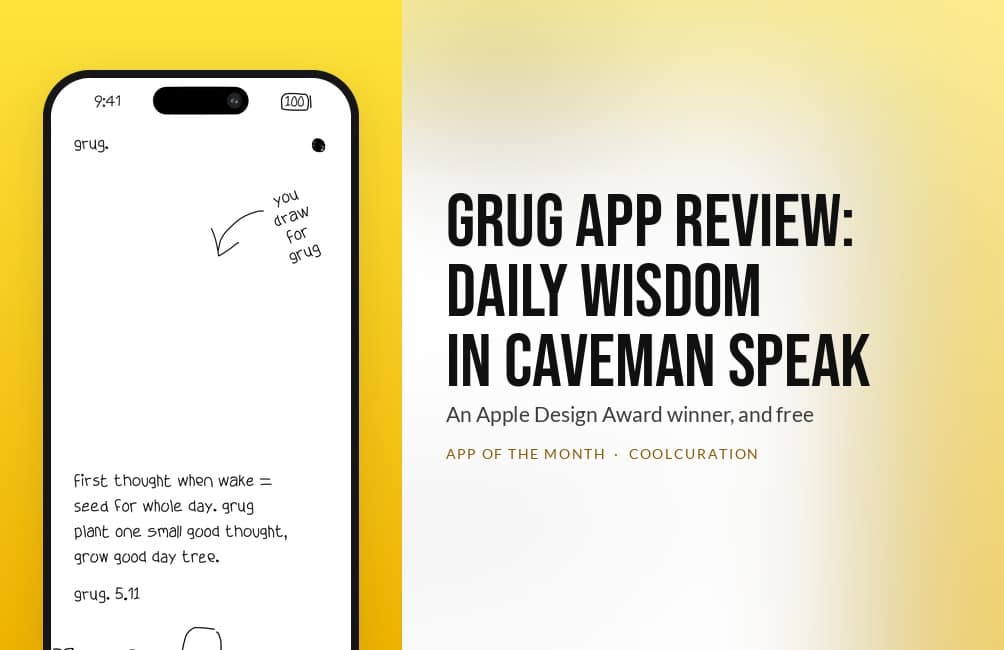
grug, daily wisdom in caveman speak
Cool Factor 4/5 · Stone coldOcho's free app shows you one small piece of advice each morning, in lettering its makers drew by hand, and it won Apple's 2026 Design Award for Delight and Fun. Still, it misses Ice cold because that same lettering is reported to be unreadable for VoiceOver users, and it is English only and iPhone only.
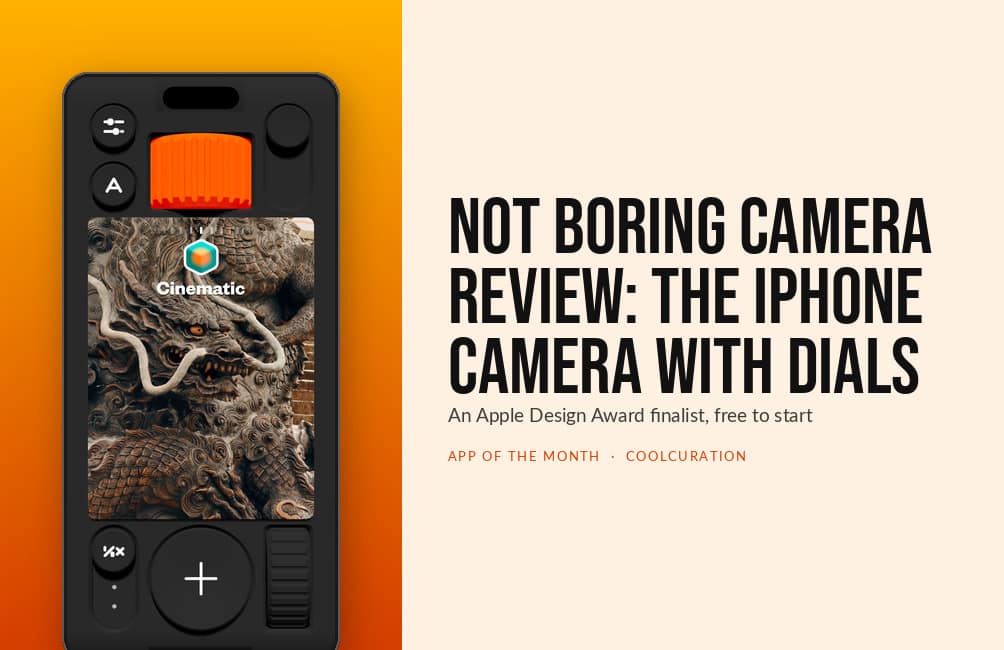
(Not Boring) Camera, the camera app with actual dials
Cool Factor 4/5 · Stone coldTwo people at Not Boring Software built a camera body in 3D on Apple's game engine, with a raw pipeline called SuperRaw underneath. Still, it misses Ice cold for two reasons. The default mode can save a photo that does not match the preview, and the raw file sits behind the £14.99 a year Plus plan.
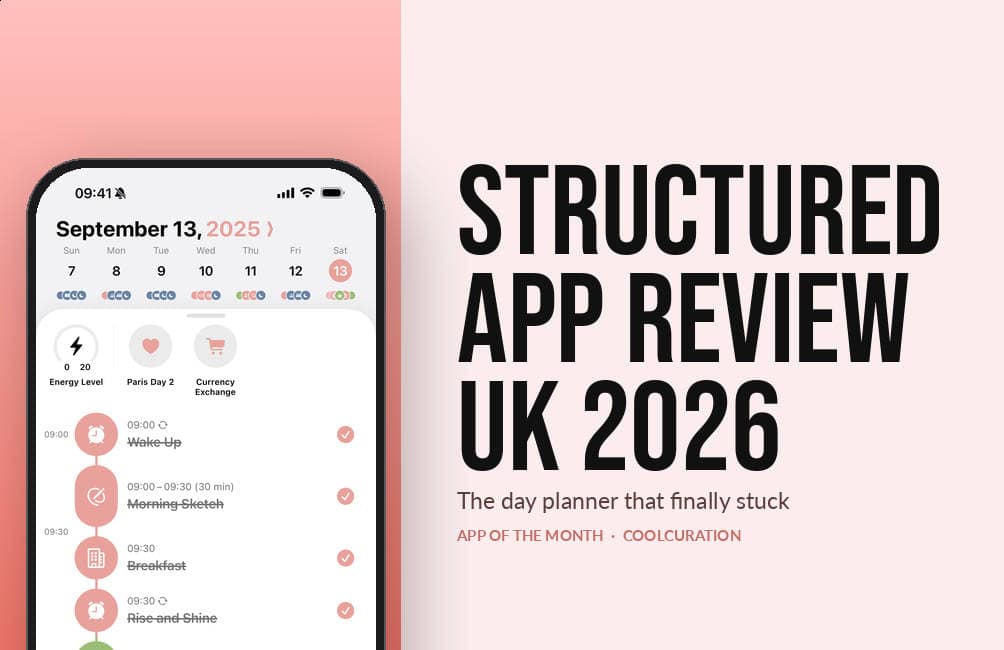
Structured, the day planner drawn as one timeline
Cool Factor 4/5 · Stone coldThe first pick. unorderly GmbH, a German studio of about ten people, draws your whole day as one vertical timeline. Apple then named it a 2026 Design Award finalist for Inclusivity. But recurring tasks sit behind Pro, and the Android version does less for similar money.
The series started in August 2026, and each new pick is added here on the day it publishes.
At a glance
The picks side by side
All four apps are free to download. Three have paid tiers, and that is where they differ. So each price below is the one I read off the UK App Store, with the date I checked it.
| Month | App | What it does | Paid tier (UK) | Cool Factor |
|---|---|---|---|---|
| Nov 2026 | Tide Guide | Tides, marine weather, sun and moon on one screen | Pro from £3.49 a month or £17.49 a year (checked 11 Nov 2026) | 4/5 |
| Oct 2026 | grug | One short piece of daily wisdom, in caveman speak | None: free, no in-app purchases (checked 11 Oct 2026) | 4/5 |
| Sept 2026 | (Not Boring) Camera | Camera with manual controls and live colour styles | Plus £14.99 a year or £59.99 once (checked 10 Sept 2026) | 4/5 |
| Aug 2026 | Structured | Daily planner built around a timeline | Pro £5.99 a month, £17.99 a year or £59.99 once (checked 22 Aug 2026) | 4/5 |
How it works
How I choose an App of the Month
I start with the Apple Design Awards, because the winners and finalists have already been through a hard design filter. Then I check the App Store's own editorial picks and the design libraries I use for work. All four picks so far were recognised in Apple's 2026 Design Awards: two as finalists, and grug and Tide Guide as winners.
Every candidate has to clear three tests. It has to be available in the UK. It needs enough App Store ratings to show that real people use it. And it has to have a specific screen or interaction I can describe, because "clean interface" tells nobody anything.
I also keep away from money apps. Budgeting and investing apps come with their own rules. Besides, I already cover them in my guide to the best free budgeting apps. So App of the Month sticks to apps you use for making things, planning things and looking at things.
Each review follows the same shape. First comes who made the app, then what the free version does, then what the paid tier adds and what it costs. After that, a whole section covers what does not work. Every price comes from the UK App Store on the day I write, so the date always sits next to the figure.
How the Cool Factor score works
Every pick gets a Cool Factor out of five. 1/5 is Lame, 2/5 is Lukewarm, 3/5 is Cool, 4/5 is Stone cold and 5/5 is Ice cold. All four picks so far landed on 4/5. In each case the review says exactly what held it back from the top score.
Keep going
More app coverage on CoolCuration
App of the Month covers one app in depth. These pages cover apps in other ways.
App of the Month FAQs
What is App of the Month?
It is a monthly CoolCuration series. Each month I pick one well-designed app and review it in depth, with a Cool Factor score out of five. Each pick also gets its own page with the features and UK prices.
When does a new App of the Month come out?
In the middle of the month. The November pick, Tide Guide, went live on 17 November 2026. September's went live on 17 September 2026, and August's on 22 August 2026. Each new pick joins the list above on the day it publishes.
Are the App of the Month picks free?
All four picks so far are free to download and usable without paying. grug has no paid tier at all, while the other three have one on top. Structured Pro is £5.99 a month, (Not Boring) Camera Plus is £14.99 a year and Tide Guide Pro starts at £3.49 a month. Prices change, so check the App Store before you subscribe.
Do developers pay to be picked?
No. Nobody pays for a place in the series, and none of the developers picked so far runs a referral scheme. If a future pick does have one, the review will say so at the top.
Do the apps work on Android?
It depends on the pick. Structured runs on Android and the web as well as Apple devices, though the Android version does less. (Not Boring) Camera is iPhone and iPad only, and Tide Guide is Apple only, across iPhone, iPad, Mac, Apple Watch and Vision Pro. Each review lists the platforms near the top.
Which pick should I read first?
Start with the one that matches what you do most. If you plan your days on your phone, read the Structured review. If you take photos on an iPhone, start with (Not Boring) Camera. And if you live near the coast, start with Tide Guide.
More from CoolCuration
- Apple's Surprise and Shine event. The September 2026 keynote in full, with UK prices.
- Gifts for photo lovers. A gift guide for the person who never leaves the house without a camera.
- Susan Kare's Happy Mac print. A signed yellow edition of 100 from the designer of the original Mac icons.
- Gifts for technology lovers. Gadgets and accessories for the friend who reads spec sheets for fun.
- Re:Scam. A free bot that replies to scam emails for you, so scammers waste their time on it.
No Comments.