
Last updated: 17 September 2026. I checked every price and feature in this Not Boring Camera review against the UK App Store listing and the developer's own guide on 10 September 2026.
By Stiv · Design, technology and personal finance
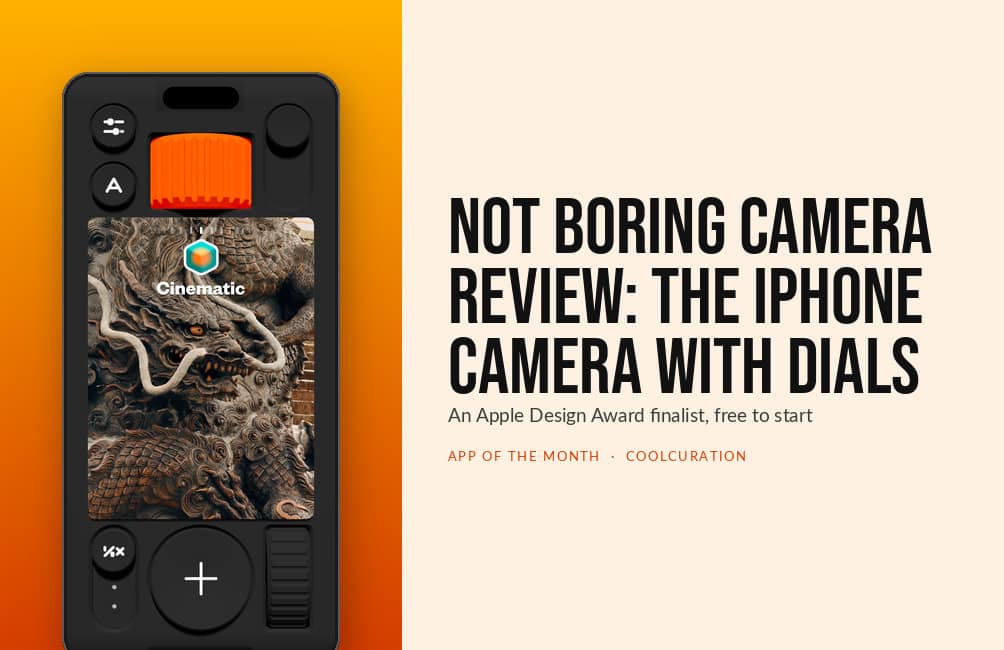
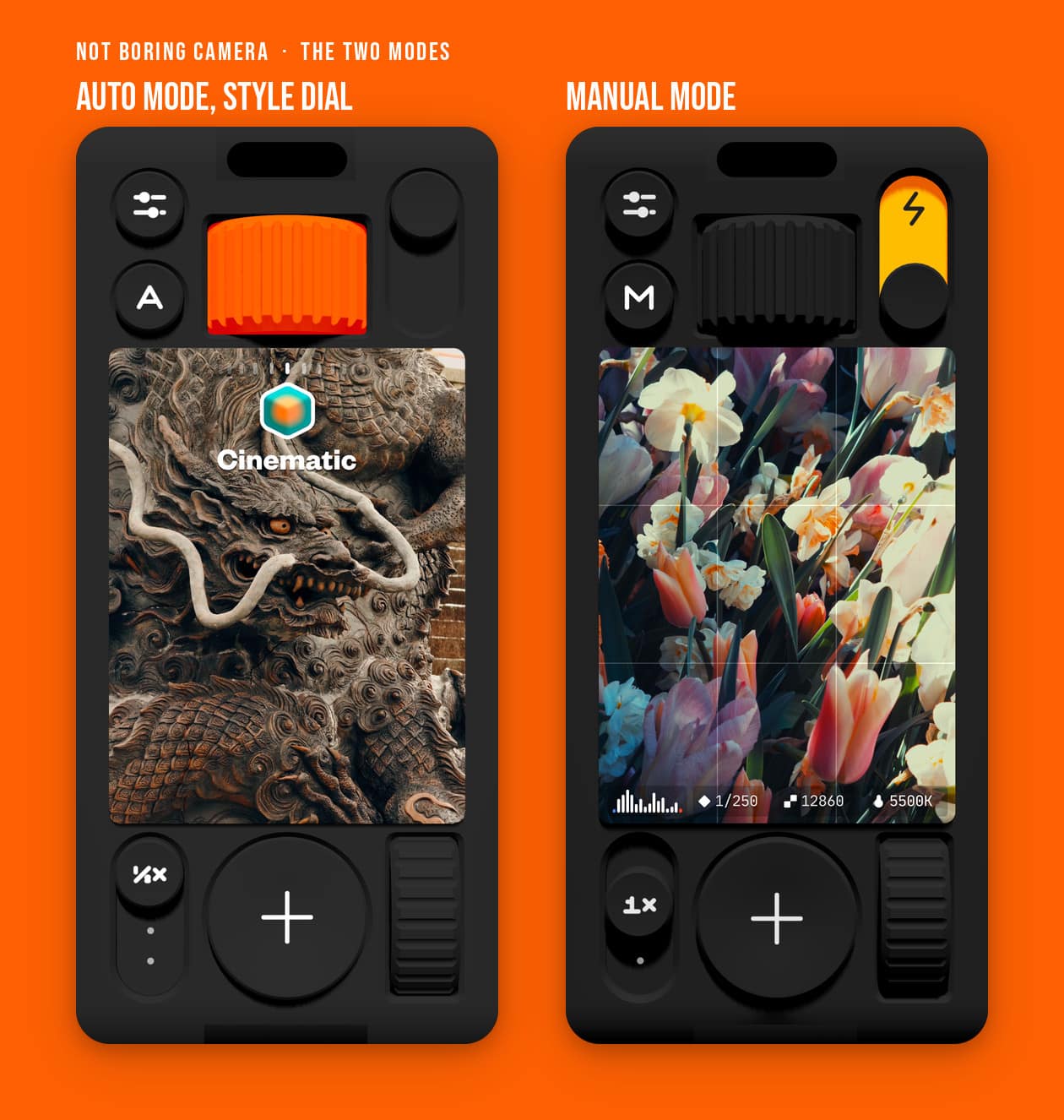
September's App of the Month is a camera. (Not Boring) Camera is a free iPhone app that draws a whole camera body in 3D: a knurled Style dial, a shutter button that clicks and buzzes, a focus ring you drag on to the picture. Apple made it a 2026 Design Award finalist for Visuals and Graphics. This Not Boring Camera review covers what the dials are for, what the SuperRaw pipeline does to your photos, what Plus costs in the UK and the two things that stop it being a five.
This is an opinion piece. Views expressed are the author's own and do not constitute professional advice.
Nobody paid for this. Not Boring Software has no referral scheme, so there are no affiliate links anywhere in this Not Boring Camera review.
Cool Factor: 4/5
Get (Not Boring) Camera free on the App Store
September 2026's pick in my monthly App of the Month series. Every pick so far, with scores and UK prices, is on the App of the Month page.
What is (Not Boring) Camera?
It is a third-party camera app for iPhone and iPad, released on 5 June 2025 and free to download. The interface is the point. Instead of a full-screen viewfinder with flat buttons around it, you get an inset preview sitting in a camera body. Around it are two physical-looking dials, two toggle switches and a shutter button the size of a two-pound coin.
Behind the toy shell there are three things a serious camera app needs. A raw processing pipeline called SuperRaw, which skips Apple's multi-frame processing. Real-time colour grading with 3D LUTs, the lookup tables cinematographers use. And a full manual mode with shutter speed, ISO, white balance, focus peaking, a histogram and zebra stripes.
The paid tier is !Camera Plus, at £14.99 a year or £59.99 once. The studio also sells Super !Boring, which covers all six of its apps, at £7.99 a month or £29.99 a year. I read all four prices off the UK App Store listing on 10 September 2026.
Who makes it, and why it runs on a game engine
Not Boring Software is two people. Andy Allen co-founded FiftyThree, the studio behind the iPad drawing app Paper. Before that he worked on Microsoft's never-released Courier tablet. Mark Dawson is the engineer. They started the studio in 2020 with three apps: Weather, Calculator and Timer. Since then they have added roughly one a year: Habits, Vibes, then Camera.
Every one of them is built on SceneKit, Apple's 3D game engine, rather than the usual interface toolkit. That is why the dials cast shadows that move when you tilt the phone. It is also why the studio's apps have already won two Apple Design Awards between them. On the Sub Club podcast in July 2026, Allen said the camera took three years of false starts. The idea the team settled on was simpler: leave what a camera does alone and rebuild what it feels like to use one.
First impressions: it sounds like a camera
Open it and the first thing you notice is the noise. Every tap plays a click. The app picks one of a dozen slightly different recordings each time, so no two presses sound identical. Allen borrowed the trick from game audio, where footsteps have to repeat without grating. As he put it on the same podcast: "No button ever sounds exactly the same."
Then the haptics. Each notch on the Style dial and the exposure dial is a separate tick in your hand. Swap lenses and you get a clunk. Fast Company's Sam Byford, reviewing the app in July 2025, summed up the effect in one line: "!Camera makes your iPhone feel like a new device." I think that is exactly right, and it is the whole argument for the app. Where the stock Camera app gets out of your way, this one asks you to hold the phone like a camera, and the dials and the clicks are what make that work.
SuperRaw, and the case against never taking a bad photo
Every modern phone camera stacks many frames, denoises them, sharpens them and tone-maps the result. Nothing is ever too dark or too bright. It is the reason phone photos look the way they do, and the reason so many of them look the same. SuperRaw reads the sensor once and processes it lightly. Grain stays in, highlights roll off like film and the shadows stay dark.
Allen put the philosophy plainly on the same podcast: "The default camera apps, it's not just Apple, it's Google, it's everyone, their goal is to make sure that you never take a bad photo. But I think the result is that you never can really take a great one." He also admits that some of his own favourite shots from the app are accidents. One was a blurred frame from hitting the shutter while putting the phone away.
If that sounds like a step too far, ProRaw and Basic are both there in the capture settings. ProRaw gives you Apple's own high-quality processing. Basic is the stock look. So the app does not force the grainy aesthetic on you, which matters for the criticism further down.
Styles: film looks applied before you press the shutter
Styles are the feature that turns this from a pretty camera into a useful one. Each Style is a 3D LUT, applied live in the viewfinder, so what you see on the dial is what lands in your Photos library. There is no editing step afterwards unless you want one.
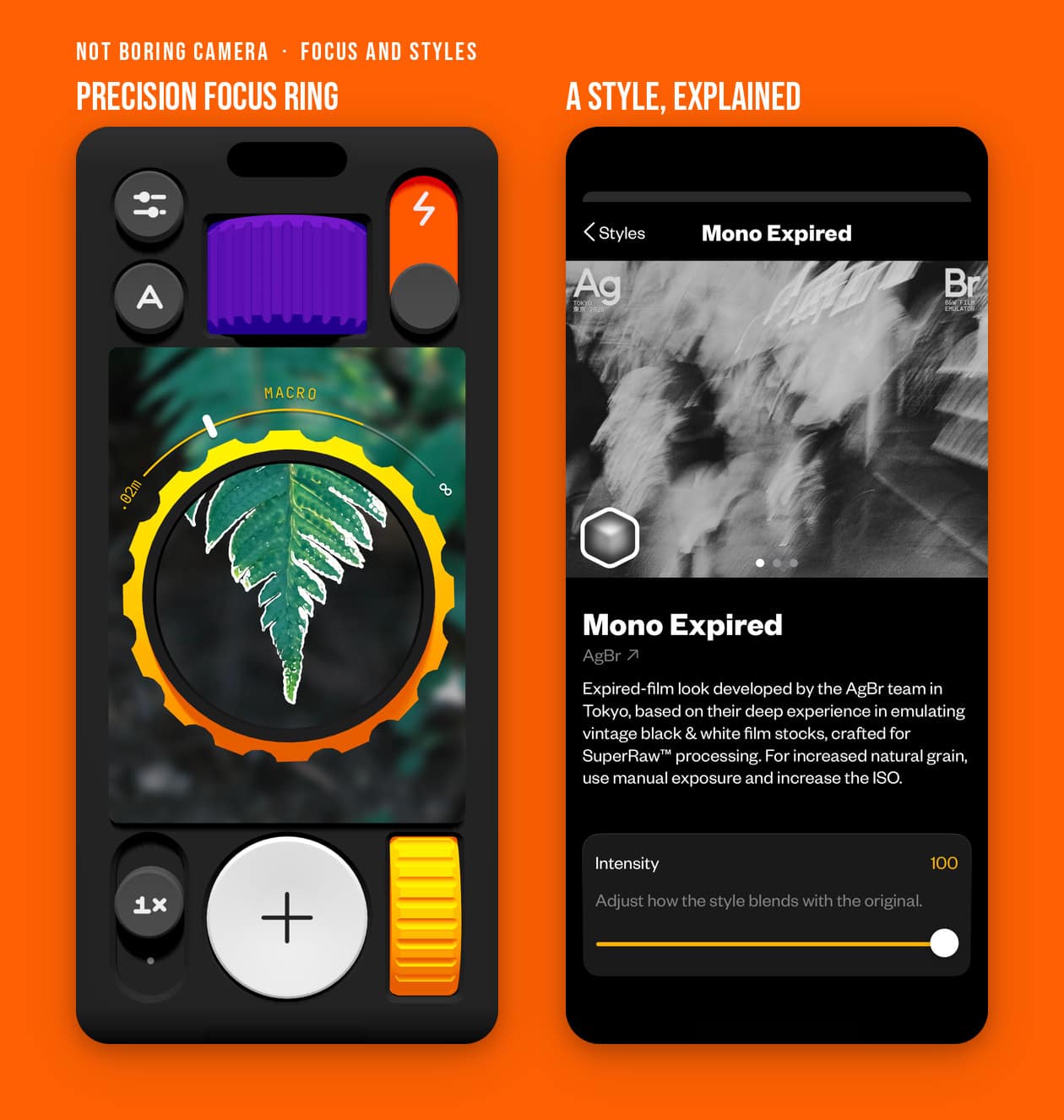
The built-in set includes Cinematic. The Tokyo collective AgBr contributed two black and white looks, Mono Expired and Mono Tokyo, built from their research into vintage film stock. New Styles arrive every season. The 31 August 2026 update added Deakins, after cinematographer Roger Deakins, and Altman, a 1970s New Hollywood look. Plus members can also import any .CUBE LUT file. John Gruber of Daring Fireball points at Panasonic's Lumix Lab app as a good free source. Gruber, who shot his WWDC photos in the Mono Tokyo style, called it the most innovative app in the studio's suite. Given that the suite includes a weather app people pay for the skins of, that is saying something.
Manual mode and the Precision Focus ring
Flip the A switch to M and the exposure dial becomes an action dial. Shutter speed runs from 1 second to 1/71,000 of a second, ISO from 54 to 12,000 and white balance from 2,600K to 9,000K. A histogram sits under the viewfinder. Zebra stripes flag the pixels you are about to blow out in red and the ones you are about to crush in blue.
The focus ring is where the 3D interface earns its keep. Tap and drag anywhere on the viewfinder and a big yellow ring appears. It is marked with the minimum and maximum focus distances for the lens you are on. Drag round it to pull focus, with focus peaking outlining whatever is sharp. On a phone screen, where manual focus is usually a fiddly slider, this one feels designed rather than tolerated.
One gap: shutter speed and ISO are tied together by Apple's camera framework, so there is no shutter-priority mode. The developer says on the App Store that a custom fix is being looked at.
What is free, and what !Camera Plus costs in the UK
Here is where any honest Not Boring Camera review has to slow down. The download is free, and the camera, the manual controls and the built-in Styles all work without paying. The developer describes it as "free to try", which is a fair warning.
The support guide marks five things as membership features. HDR display, which recovers up to two stops of highlight detail. Max resolution, up to 48 megapixels on iPhones that can do it, rather than the 12-megapixel standard. HEIC plus RAW saving, which keeps a DNG negative alongside each photo. Importing your own LUTs. And saving or sharing your colourway, the custom colour scheme for the camera body.
On the UK App Store on 10 September 2026, !Camera Plus was £14.99 a year or £59.99 for life. Super !Boring was £7.99 a month or £29.99 a year. The studio also promises a price lock for as long as your subscription runs, and a 14-day refund through Apple. The developer's own website quotes US dollar prices that do not line up with these, so the App Store figure is the one to trust.
Honest critical observations
No Not Boring Camera review is worth reading if it only lists the good bits. So what stops this being a five? Four things, and two of them are real.
The preview does not always match the photo. This is the complaint that recurs in the UK App Store reviews. One three-star reviewer wrote that the SuperRaw and ProRaw modes are "meant for surprising yourself with a photo that looks nothing like the preview". Another wrote that "the resulting image captured looks completely different". The developer has shipped exposure fixes since, and switching to Basic processing removes the problem. Even so, a default mode that surprises people is a real problem for a camera, and this Not Boring Camera review cannot wave it through.
The RAW negative is behind the paywall. The whole pitch is a raw pipeline that preserves what the sensor saw. Then saving that raw file costs £14.99 a year. Adobe's free Project Indigo saves raw files without a subscription, and Apple's own Camera app shoots ProRAW on Pro iPhones for nothing. For an app this proud of its honesty, that is a strange place to put the gate.
No video. Nothing in the developer's feature list or guide mentions it, and every control is for stills. If you shoot both, you will keep two camera apps.
The sounds ignore the mute switch. Allen says so himself and treats it as part of the experience. There is a toggle in Settings, but the default is loud. A camera that clicks in a quiet gallery is a camera you put away. Add to that an iPhone-only policy with no Android version planned. There is also a reported rotation bug on iPad that the developer had not fixed at the time of writing.
Why this app matters now
Phone photography has spent a decade making sure you never miss. In 2025 two projects pushed back at once. Adobe's Project Indigo, led by former Google Pixel camera lead Marc Levoy, argued for a "more natural look" with less smoothing and sharpening. (Not Boring) Camera arrived at the same argument from the opposite direction, through design rather than computer science.
What the Apple Design Award recognises is that the design is not decoration. Apple's citation calls the app "a tactile throwback to the cameras of the '70s and '80s, all giant buttons and haptic scroll wheels". The bet is that the way a camera feels changes what you point it at, and I think the bet is right. Last month's App of the Month, covered in my Structured app review, was another 2026 Apple Design Award finalist. The two share a habit of asking less of you rather than more.
Value for money
The free version is a real camera rather than a demo. If you never save raw files and never import LUTs, there is no reason to pay. If you do want the DNG, £14.99 a year is the price. The £59.99 lifetime option removes the annual decision after four years' worth of subscription.
The sleeper deal is Super !Boring at £29.99 a year. For twice the price of Plus you get all six apps, including the Weather app the studio launched with. Pick Plus if you only want the camera, Super if you are curious about the rest. Either way, run the free tier for a couple of weeks first and let the app earn it.
Practical info
(Not Boring) Camera is free on the UK App Store for iPhone and iPad. It needs iOS 18.2 or later. The current build is 1.58, released 31 August 2026, and the download is about 197 MB. In the UK it holds 4.5 stars from 436 ratings as of 10 September 2026.
You can launch it from a Lock Screen control, the Action button or the Camera Control button. The developer claims under a second from lock screen to first shot. The app collects, stores and shares nothing, and photos save to your Photos library. For the full feature list, the exact membership gates and every UK price in one place, see my Not Boring Camera app guide.
The verdict
Cool Factor: 4/5, Stone cold.
Cool Factor
★★★★☆
4 out of 5
(Not Boring) Camera does the rare thing of making software feel like an object. The dials, the sounds and the focus ring are not gimmicks, because every one of them maps to a real photographic decision. The SuperRaw pipeline and the live Styles give the app a reason to exist beyond looking good. The free tier is a proper camera, which is why this Not Boring Camera review lands where it does.
Overall, a solid 4/5 Stone cold. This Not Boring Camera review would have gone to Ice cold on the strength of the interface alone. Two things hold it back. The default mode still surprises people with photos that do not match the preview, which is the one thing a camera must not do. And the raw negative, the honest heart of the whole idea, sits behind a £14.99 subscription. Fix those and it is hard to see what would stop it. As it stands, download it today, shoot for a fortnight, and decide whether the DNG is worth £14.99 to you.
Buying from Apple? Get 2% back first
I buy Apple Gift Cards in the JamDoughnut app, then spend them with Apple. JamDoughnut paid 2% instant cashback on Apple Gift Cards when I checked on 13 October 2026. The card covers hardware from an Apple Store or apple.com, plus App Store purchases and iCloud+. I top up my Apple account this way each month to pay for my iCloud+ family plan, and I pre-ordered my HomeView with it too. Apple takes up to eight gift cards per order, but not alongside PayPal or Apple financing.
Rates can change, so check the app before you buy. My JamDoughnut page uses a referral link.
Not Boring Camera review FAQs
Is the Not Boring Camera app free?
Yes. The download is free, and the camera, the manual controls and the built-in Styles work without paying. HDR, 48-megapixel captures, RAW saving, LUT import and saved colourways need !Camera Plus or Super !Boring.
How much does Not Boring Camera Plus cost in the UK?
£14.99 a year or £59.99 once for lifetime access. Super !Boring, which covers all six Not Boring apps, is £7.99 a month or £29.99 a year. Prices read from the UK App Store on 10 September 2026.
Is Not Boring Camera better than the iPhone Camera app?
Different rather than better. Apple's Camera app is faster to a safe photo and shoots video. (Not Boring) Camera gives you film-like processing, live Styles and manual controls in an interface you will want to use. This Not Boring Camera review comes down on the side of keeping both.
Does Not Boring Camera work on Android?
No. The studio says it is a small team and has no plans for an Android version. It runs on iPhone and iPad with iOS 18.2 or later, and there is no standalone Mac app.
Does Not Boring Camera shoot RAW?
Yes, with a membership. Plus and Super members can save a DNG file alongside each HEIC. The app can also capture in Apple's ProRaw format. The free tier saves HEIC only.
Who should skip Not Boring Camera?
Anyone who shoots more video than stills. Also anyone who wants the photo to look exactly like the preview every time. In that case stay on Basic processing or on Apple's own app, and this Not Boring Camera review would not argue with you.
More from CoolCuration
- Polaroid OneStep+: the real thing, for when a film look on a phone is not enough.
- Gifts for designers: well-made objects for the people who notice a knurled dial.
- Affinity by Canva review: the free creative suite, for developing the DNGs this app saves.
- Mobbin promo code: the design reference library I use to keep an eye on how the best apps look.
- 1Blocker: a quieter phone in one download, and a neat companion to a calmer camera.
What's trending






Recent posts
- To Kill a Mockingbird Review: Our Book of the Month
 Our Book of the Month: To Kill a Mockingbird by Harper Lee. Does it hold up in her centenary year? What still works, where it has dated, and which UK edition to buy. #BookOfTheMonth #ToKillAMockingbird #HarperLee #ClassicBooks #Bookworms
 - Siri AI on HomePod: Why Your Old Speakers Miss OutSmart homeSiri AI Last updated: 16 October 2026 By Stiv · Design, technology and personal finance The new Siri is coming to HomePod mini 2. Not to the HomePods I already own. Siri AI on HomePod stops at the new HomePod mini 2. Apple confirmed on 14 October 2026 that the original HomePod mini will… Read more: Siri AI on HomePod: Why Your Old Speakers Miss Out
- Clocks Go Back 2026: The Date, the Time and 20 Clocks to Up Your Timekeeping GameThe clocks go back at 2am on Sunday 25 October 2026. What changes itself, what the darker evenings do to your energy bill, and 20 clocks to up your timekeeping game, from Alessi and Vitra to a MUJI cuckoo clock.



No Comments.