
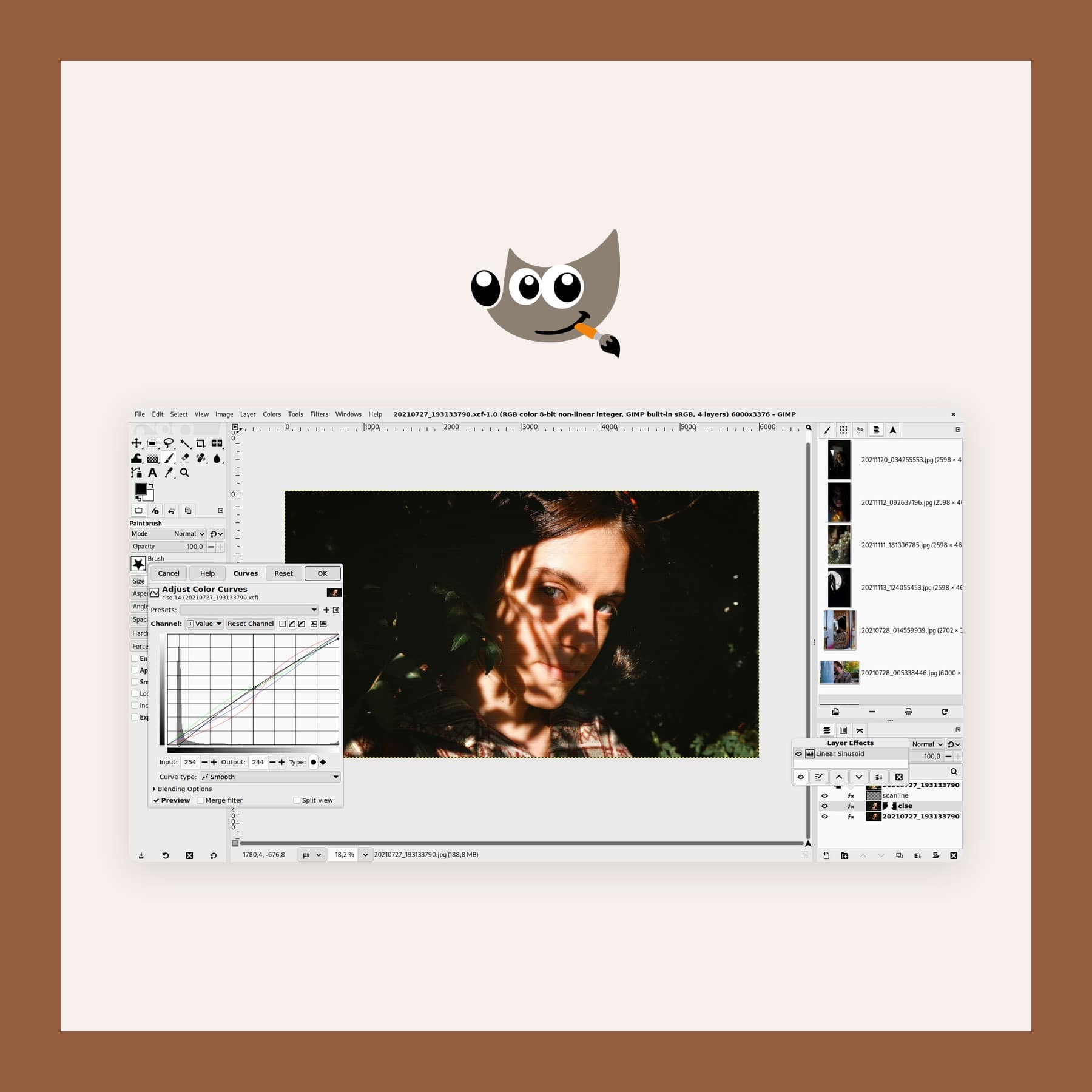
GIMP: the Free Photoshop Alternative, and How to Make It Look Like Photoshop
Last updated: 12 October 2026
GIMP is a free, open source image editor for Windows, Mac and Linux that handles photo retouching, layered compositing and web graphics. As a GIMP Photoshop alternative, it now has non-destructive filters and better PSD support, and a free add-on called PhotoGIMP rearranges it to look and behave like Photoshop, shortcuts included. GIMP is free, while Photoshop is £21.98 a month on an annual plan. I checked the current version on gimp.org and Adobe's UK prices on 12 October 2026.
What GIMP replaces, and how well
GIMP covers most of what people open Photoshop for: cropping and correcting photos, removing blemishes, cutting out a subject, combining images on layers, adding text and preparing images for a website. Version 3.0, released on 16 March 2025 after years of work, brought non-destructive filters, so you can change or remove an effect later. Then version 3.2, from 14 March 2026, added link layers and vector layers.
Link layers bring in an external image that updates when the original file changes, which CG Channel compares to Photoshop's Smart Objects. GIMP also suggests a pass-through layer group with non-destructive filters as its way of recreating Photoshop's adjustment layers.
However, it falls short in three places. First, there is no true CMYK mode for print work, only soft-proofing and CMYK import and export. Second, those adjustment layers are a workaround rather than a matching feature. Third, there is nothing like Photoshop's generative fill. Still, if you edit photos for screens and social media, none of the three gets in the way.
PhotoGIMP: the Photoshop layout for GIMP
PhotoGIMP is a free patch by Diolinux that rearranges GIMP to work like Photoshop. It moves the tools into a Photoshop-style layout, swaps in Photoshop's keyboard shortcuts, maximises the space for the canvas and adds its own splash screen and icon. The latest version, 3.1 from 11 July 2026, improved the shortcuts and added bracket keys for brush size. It needs GIMP 3.0 or newer and works with GIMP 3.2.
Be aware that PhotoGIMP has no website of its own. The only official source is the PhotoGIMP page on GitHub, so download it from there and nowhere else.
How to install PhotoGIMP
- Install GIMP 3, open it once and close it, so it creates its settings folder.
- Back up that settings folder, because PhotoGIMP replaces the files in it.
- On a Mac, download PhotoGIMP.zip from GitHub and copy its settings into ~/Library/Application Support/GIMP, into the folder named after your GIMP version, such as 3.2.
- On Windows, copy the version folder into %APPDATA%\GIMP and choose to replace the files.
- On Linux, download PhotoGIMP-linux.zip, extract it and run the install script, which backs up your old settings for you.
To undo it, delete that version folder and GIMP rebuilds its default settings next time it opens.
Why not GIMPshop?
GIMPshop was the original Photoshop-style version of GIMP, made by Scott Moschella. Development stopped around 2007, so it is based on GIMP 2.2, which dates from the mid-2000s. Moschella later said a third party who bought the gimpshop.com domain had added adware and spyware to it. So treat any GIMPshop download you find today as unsafe, and use GIMP 3 with PhotoGIMP instead.
Key features in GIMP 3.2
- Non-destructive filters: most common filters stay editable, with a live preview on the canvas.
- Link layers and vector layers: new in 3.2, for linked images and editable shapes.
- PSD import and export: more Photoshop layer styles come across in 3.2.
- Editable text effects: outlines, shadows and bevels that stay editable.
- Multi-layer selection: move and transform more than one layer at once.
- Brushes: MyPaint brush support with 20 new brushes in 3.2.
How to get it
Download GIMP from gimp.org. The current release is 3.2.6, from 10 September 2026, while the Mac version comes in separate builds for Apple silicon and Intel. It needs macOS 11 or newer, or Windows 10 or newer. GIMP is not sold on the Mac App Store, and the GIMP team says any copy there has nothing to do with them. It is also open source under the GPL v3 licence and made by a volunteer team under the GNOME project.
Get GIMP for Mac, Windows or Linux
Print colour, AI fill and the manual
The missing CMYK mode is the limit that matters most to designers who send work to print. GIMP's FAQ says CMYK support is on the roadmap, without a date. Similarly, the missing generative fill matters to anyone who relies on Photoshop's AI tools. The 3.2 user manual was also not ready at launch, so the team recommends reading the 3.0 manual for now. Finally, the details of each release are in GIMP's 3.2 release notes.
FAQs
Is GIMP free?
Yes. GIMP is open source under the GPL v3, free for any use, with no account or subscription.
Is GIMP a good Photoshop alternative?
For photo editing, retouching, compositing and web graphics, yes. For CMYK print work and generative AI editing, Photoshop is still ahead.
How do I make GIMP look like Photoshop?
Install PhotoGIMP from its GitHub page. Once installed, it applies a Photoshop-style tool layout and Photoshop's keyboard shortcuts to GIMP 3.
Is GIMPshop still available?
Not safely. It stopped development around 2007, and its old website was taken over by a third party who added adware. Use PhotoGIMP instead.
How much does Photoshop cost in the UK?
Adobe charges £21.98 a month on an annual plan, £32.98 a month with no contract, or £262.51 paid upfront for a year. I checked Adobe's prices on 12 October 2026.
More from CoolCuration
- Affinity by Canva: the free design app that also covers photo editing and print layout.
- Penpot: free, open source screen and prototype design in your browser.
- Gifts for photo lovers: cameras, books and prints for the person behind the lens.
- (Not Boring) Camera review: an iPhone camera app with film-style looks.
- Best refurbished MacBooks UK: where to buy a used Mac with a proper warranty.


Follow us: Instagram
Copyright 2026 CoolCuration | Privacy Policy | Cookie Policy | Affiliate Disclosure | Cool Factor
-----------
We are proud supporters of a safer more private internet via encouraging people to use Brave browser and are actively taking on Spammers as part of ProjectHoneypot. This site is hosted on servers that run on 100% renewable energy in the UK thanks to GreenWebHosting.
This site contains affiliate links, including to Amazon.com and Amazon.co.uk. We may earn a commission if you make a purchase or sign up for a service via these links, at no extra cost to you. All offers and promotions are accurate at the time of publication but are subject to change or withdrawal by the businesses featured. We cannot guarantee their continued availability. Read our full affiliate disclosure.
Reviews and opinions on CoolCuration reflect the personal experience of our writers at the time of publication. They are not professional endorsements and your experience may differ. Scores use our Cool Factor rating system and are given independently of any commercial relationship.
All content on CoolCuration is provided for informational and entertainment purposes only. It does not constitute financial advice, investment recommendations or an endorsement of any product or service. We are not authorised by the Financial Conduct Authority and do not offer personalised financial guidance. You should always do your own research or consult a qualified financial advisor before making any financial decisions.