
Last updated: 26 March 2026
By Stiv · Design, technology and personal finance
This is an opinion piece. Views expressed are the author's own and do not constitute professional advice.
This article contains affiliate or referral links. If you click through and sign up I may earn a commission or referral bonus at no extra cost to you. It does not affect my editorial view.
Cool Factor: 4/5 — Stone cold
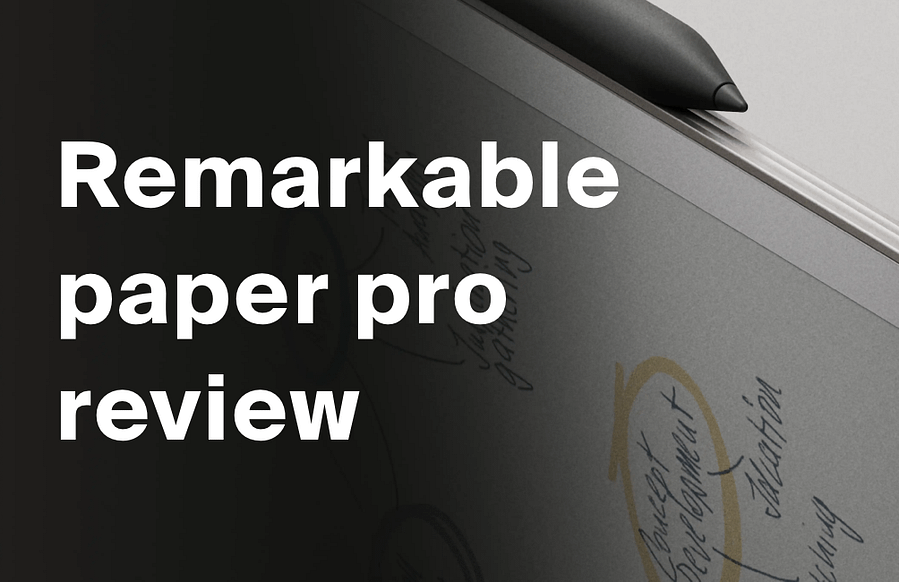
Remarkable Paper Pro review: the luxury of doing less
This Remarkable Paper Pro review has been a long time coming. After months of daily use, I can finally give you a proper verdict on this ridiculously expensive, stubbornly single-purpose e-ink tablet. And honestly? It has become the device I reach for more than anything else when I actually want to think. However, at a starting price of £559 in the UK, you need to know exactly what you are getting into before you commit.
What is the Remarkable Paper Pro?
The Remarkable Paper Pro is a premium e-ink tablet designed entirely for writing, sketching, and reading documents. It features an 11.8-inch Canvas Color display with a 2160 x 1620 resolution, and it runs on a 1.8GHz quad-core processor with 2GB of RAM and 64GB of storage. In addition, there is an adjustable reading light built in, so you can use it comfortably day or night.
Unlike an iPad or Android tablet, the Paper Pro deliberately does not run apps. There is no Slack, no Instagram, no browser, and no notifications. Consequently, it occupies a niche that very few devices even attempt: a distraction-free thinking space. For context, you can pick up an M2 MacBook Air for under £800 on sale, so the value calculation here is genuinely unusual.
Since launch, Remarkable has also released the Paper Pro Move, a compact 7.3-inch version aimed at people who want something more pocket-friendly. As a result, you now have a choice between the full-size writing experience and a more portable alternative.
First impressions
Straight out of the box, the Paper Pro feels premium. It is thin, light (525g), and the aluminium frame gives it a reassuring solidity. The screen has a textured glass finish that immediately sets it apart from glossy tablet displays. You notice the difference the moment you pick up the stylus and start writing.
The setup process is simple enough. Pair with the Remarkable desktop or mobile app, and your notebooks sync to the cloud. It is worth noting that full cloud sync and app access require a Connect subscription, which currently costs around £3.29 per month (recently increased from £2.99). New buyers get a 50-day free trial, so you have time to decide whether you need it.
Overall, the first impression is one of calm. No setup wizards demanding attention, no app store prompts, and no bloatware. Just a blank page and a pen. That simplicity feels refreshing.
The experience: writing, typing, and daily use
This is where the Remarkable Paper Pro genuinely shines. The combination of textured glass and the Marker Plus stylus delivers one of the best paper-like writing experiences available digitally. The Marker Plus comes included with the base Paper Pro bundle, and it offers 4,096 levels of pressure sensitivity plus a built-in eraser. Handwriting feels natural, responsive, and satisfying. You can write on blank pages, annotate PDFs, or use built-in templates for planners and daily notes.
Colour is available too, although it is subtle. This is still fundamentally an e-ink device, so do not expect iPad-level vibrancy. Nevertheless, the ability to highlight and colour-code notes adds a layer of usefulness that the older Remarkable 2 lacked entirely.
The Type Folio keyboard changes everything
The Type Folio (£179) is what transformed my opinion of this device. It is currently only available direct from reMarkable, not on Amazon UK. It snaps on cleanly, adds protection, and barely increases the weight. The keys have a satisfying click and a soft-touch finish that feels more premium than expected. Some keys are backlit too, which makes late-night writing genuinely usable.
Paired with the Paper Pro, the Type Folio turns a digital notebook into a serious writing machine. It is stable enough to use on your lap, though folding it still takes a bit of getting used to. If you are buying the Paper Pro primarily for writing, I would call the Type Folio essential rather than optional.
What it does not do well
Honesty matters here. The Paper Pro is not great for reading books. The e-ink refresh rate means page turns feel slow compared to a Kindle. Additionally, the screen size, while excellent for writing, makes it heavier and less portable than a dedicated e-reader. If you want a reading tablet, a Kindle Paperwhite is a far better and cheaper choice.
Furthermore, the Connect subscription model is a sticking point. Cloud sync, app access, and handwriting search all sit behind the paywall. Without it, notebooks that go unedited for 50 days get removed from the cloud (though not the device itself). For a product at this price, that feels a bit cheeky.
Value for money
Let us be direct: the Remarkable Paper Pro is not good value in any conventional sense. The base bundle with Marker Plus starts at £559. Add a protective folio and you are looking at more: the Mosaic Weave Folio bundle and Leather Folio bundle both cost more. Add the Type Folio keyboard at £179 from reMarkable's website, and you are approaching £870 before the Connect subscription. That is serious money for a device that deliberately does less than a £300 iPad. For a full pricing breakdown and buying options, see our Remarkable Paper Pro UK detail page.
However, the value proposition is not about features per screen-inch. It is about focus. In a world where every device fights for your attention, the Paper Pro protects it. If you are a writer, student, note-taker, or anyone whose work benefits from undistracted thinking, that has genuine worth.
For comparison, the Remarkable 2 starts at around £379 and offers a similar distraction-free experience in black and white. It lacks the colour display and backlight, but it is a significantly cheaper entry point if you want to try the ecosystem first.
Alternatively, if you want refurbished tech at a lower price, Back Market sometimes carries second-hand Remarkable devices at a discount.
The verdict
Cool Factor
★★★★☆
4 out of 5
This Remarkable Paper Pro review comes down to one question: do you value focus more than features? If the answer is yes, this device makes a surprisingly strong case for itself. The writing experience is outstanding, the Type Folio keyboard is a genuine game-changer, and the distraction-free ethos is more than a marketing line. It genuinely works.
That said, the price remains the elephant in the room. At nearly £870 fully loaded, plus an ongoing subscription, this is a luxury purchase by any measure. For many people, a cheaper alternative will make more sense.
Check the Remarkable Paper Pro on Amazon UK
Closing summary
Overall, the Remarkable Paper Pro earns a solid 4/5 Stone cold. The writing experience, build quality, and Type Folio keyboard genuinely impressed me, and the distraction-free philosophy delivers real results in daily use. It did not quite reach Ice cold because of the high price, the ongoing Connect subscription cost (which recently increased), and the limited reading experience. For the right person, though, it is not just a tablet. It is a boundary between you and digital noise, and that might be worth every penny.
This review contains affiliate links to Amazon. We may earn a commission if you purchase through these links, at no extra cost to you. Our opinion remains editorially independent regardless of any affiliate relationship.
Product specifications sourced from remarkable.com.
Frequently asked questions
Is the Remarkable Paper Pro worth the money in the UK?
It depends entirely on how you plan to use it. If you need a distraction-free writing and note-taking tool and can afford the premium, it is genuinely excellent. However, if you want a general-purpose tablet for reading, browsing, and apps, an iPad offers far more for less money.
How much does the full Remarkable Paper Pro setup cost?
The base bundle with Marker Plus starts at £559. Folio bundles cost more. Add the Type Folio keyboard (£179 from reMarkable's website) and you are looking at close to £870. On top of that, the Connect subscription costs around £3.29 per month after a 50-day free trial.
Can you read books on the Remarkable Paper Pro?
Technically yes, since it supports PDFs and ePub files. In practice, though, the e-ink refresh rate is slower than dedicated e-readers like the Kindle Paperwhite, and the device is heavier. It works in a pinch, but it is not its strong suit.
What is the difference between the Remarkable Paper Pro and Paper Pro Move?
The Paper Pro has an 11.8-inch display and is designed for desk or lap use. The Paper Pro Move, launched in early 2026, has a smaller 7.3-inch screen and is built for portability. Both offer colour e-ink and the same distraction-free software, but the Move trades screen size for pocket-friendliness.
Do you need the Connect subscription?
You can use the Paper Pro without it, but you lose cloud sync, app access, handwriting search, and unlimited storage. Without Connect, unedited notebooks are removed from the cloud after 50 days (they stay on the device). For most users, the subscription adds enough value to justify the cost.
While you're here
- Apple Studio Display review UK — an honest look at another premium piece of tech and whether it delivers on the price tag.
- Best AI assistant UK — if you care about productivity tools, find out which AI assistant actually helps you get things done.
- Kindle Paperwhite — prefer reading to writing? This is the e-reader we would pick instead.
- Daylight Computer — another device designed around reducing screen fatigue and protecting your focus.
- Back Market — hunting for refurbished tech at a better price? Start here for sustainable gadget deals.
- Penpot app — a free, open-source design tool worth bookmarking if you are into creative workflows.
What's trending





Recent posts
- Structured App Review UK 2026: The Day Planner That Sticks
 Our first App of the Month. Structured turns your day into one visual timeline, it is free to start, and Apple made it a 2026 Design Award finalist for Inclusivity. Here is what it does brilliantly and where the paywall lands wrong. #StructuredApp #DailyPlanner #ProductivityApps #AppleDesignAwards #AppOfTheMonth
 - Monzo Perks and Max Price Increase 2026: Every New PriceMonzo Perks goes from £7 to £9 a month and Max from £17 to £19. Here are all the new plan prices, the dates that matter, and the honest maths.
- Which Supermarkets Does Sprive Support?Seven supermarkets. Seven rates. One catch: the cashback never reaches your bank account, it goes straight at your mortgage. Here's exactly what Sprive pays at Tesco, ASDA, M&S and the rest, taken from my own app rather than a press release.


No Comments.