
Last updated: March 2026
By Stiv · Design, technology and personal finance
This is an opinion piece. Views expressed are the author's own and do not constitute professional, financial, or purchasing advice.
This article contains affiliate or referral links. If you click through and sign up I may earn a commission or referral bonus at no extra cost to you. It does not affect my editorial view.
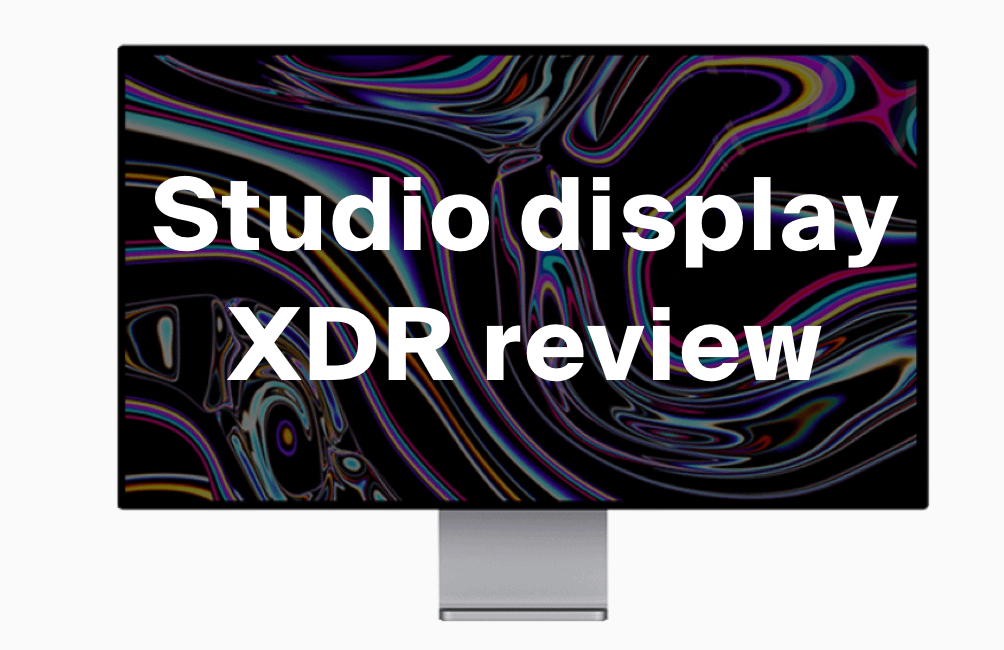
The Apple Studio Display XDR review everybody has been waiting for. Seven years on from the Pro Display XDR, Apple has finally returned to the professional monitor space -- and this time, at a price that won't require a second mortgage. Sort of. At £2,999, the Studio Display XDR is still a serious investment, but for the first time in a long while, Apple's premium display actually makes sense for a wider audience of creatives and professionals. Whether it makes sense for you is a different question entirely.
Cool Factor
★★★★☆
4 out of 5 — Stone cold
What is the Apple Studio Display XDR?
The Studio Display XDR is Apple's new professional-grade monitor. Launched in March 2026, it replaces the long-discontinued Pro Display XDR and sits at the top of a new two-tier monitor lineup alongside the standard Studio Display. Think of it as Apple saying: "The old halo product was too expensive and too niche. Here is a more justifiable version of that same idea."
The headline specs: 27-inch 5K Retina XDR display, mini-LED backlight with 2,304 local dimming zones, 2,000 nits of peak HDR brightness, 120Hz refresh rate with Adaptive Sync, an A19 Pro chip running everything under the hood, a 12MP Center Stage webcam, two Thunderbolt 5 ports, two USB-C ports, and a six-speaker spatial audio system. The tilt and height-adjustable stand is included in the £2,999 starting price, which is worth noting given Apple's historical fondness for charging extra for that particular luxury.
It is targeted squarely at video editors, colour graders, 3D artists, VFX professionals, and anyone whose work genuinely benefits from accurate, extreme-brightness HDR. Apple also calls out diagnostic radiology as a use case, thanks to new DICOM presets -- which gives you a sense of how seriously they are positioning this thing.
First impressions of the Studio Display XDR
Out of the box, it is a beautiful object. The design is essentially unchanged from the original Studio Display -- flat, thick-ish glass, clean aluminium chassis, that slightly monolithic presence on a desk. The bezels are thicker than rivals at this price point, which is a genuine complaint for a £3,000 monitor in 2026. But the build quality is exceptional, and the stand mechanism is a pleasure to use. One-finger adjustment, perfectly weighted, genuinely smooth in a way that budget monitor arms can only dream about.
The recycled aluminium stand and the 80% recycled glass panel are thoughtful environmental touches. The 100% fibre-based, collapsible packaging is a nice detail too -- one of those things you only notice when you go to dispose of the box and realise it actually fits in your recycling bin.
Set up is typically Apple: plug in a single Thunderbolt 5 cable to your Mac and everything just works. True Tone, Centre Stage, brightness controls -- all managed through macOS without a second thought. If you are on Windows, technically it works, but you will lose almost every software feature. This is firmly a Mac peripheral.
The Apple Studio Display XDR in use
The HDR performance
This is the whole point of the XDR model, and it delivers. The mini-LED backlight with 2,304 dimming zones produces HDR performance that genuinely earns the "extreme dynamic range" label. To put that figure in context: the original Pro Display XDR -- which cost significantly more at launch -- managed 576 dimming zones. The result is that blooming is nearly eliminated and the halo effect around bright objects on dark backgrounds is minimal. Not OLED-minimal, but closer than any LCD monitor we have spent time with.
Peak brightness of 2,000 nits is class-leading among monitors. In HDR, bright highlights pop in a way that feels closer to what you would see on a high-end television or on an iPhone screen. That last comparison is not accidental -- Apple has deliberately engineered the Studio Display XDR to deliver a reference experience that matches the display quality of its own devices.
For designers, that matters a lot. If you work with UI, apps, or any digital product that will ultimately be viewed on a modern iPhone or iPad Pro, the Studio Display XDR gives you a reliable reference point. Browsing inspiration on a tool like Mobbin -- the UI and UX design reference platform -- looks genuinely stunning on this panel. The colour richness, contrast, and detail you see on screen maps closely to what your users will see on their devices. That alignment between reference display and target device is not something you can get on a standard IPS or OLED monitor running P3 at half the brightness.
Colour accuracy and SDR performance
The Studio Display XDR supports both P3 wide colour and Adobe RGB, which is a meaningful addition for print designers and photographers. In SDR use -- which, honestly, is what you will be doing most of the time -- the display is very capable. SDR brightness reaches up to 1,000 nits with the ambient light sensor active, though you cannot manually force it to that level. Colour accuracy is excellent out of the box, factory calibrated and consistent across the brightness range.
Where OLED still has an edge is in absolute black levels. The Studio Display XDR uses local dimming, not per-pixel illumination, which means very dark scenes can still show some residual backlight. It is vastly better than a standard IPS panel, but it is not the inky zero-black of OLED. For video work, particularly anything colour graded in HDR, that distinction matters.
The extras that are still unmatched
No monitor does ancillaries like Apple does. The six-speaker spatial audio system is genuinely impressive -- full, bassy, and balanced in a way that makes you forget you are listening to built-in monitor speakers. The 12MP Center Stage webcam tracks you automatically during calls, and the three-microphone array is noticeably better than what you will find on a laptop. For anyone working from home or in a small studio setup, the Studio Display XDR essentially eliminates the need for a separate webcam and microphone.
The two Thunderbolt 5 ports are a practical win. You can daisy-chain a second Studio Display XDR if budget allows, or connect high-speed peripherals and drives without a separate hub. The 96W charging for connected MacBooks is functional, though if you are running an M5 Max MacBook Pro at full load, you may notice slower charging during intensive tasks.
The 120Hz caveat
Here is something worth flagging before you buy. Full 120Hz on the Studio Display XDR requires an M4 chip or later. If you are running an M1, M2, or M3 Mac, you are capped at 60Hz. For most creative workflows, that is not a dealbreaker -- video editing and colour grading do not require 120Hz. But if you are considering this display alongside an older Mac Pro or Mac Studio, it is worth factoring into your decision.
Value for money
This is where it gets complicated. The Studio Display XDR costs £2,999 in the UK with standard glass and the height-adjustable stand included. The nano-texture glass option -- which reduces glare significantly and is worth considering for bright studio environments -- takes it to £3,299.
For that money, you are competing with OLED monitors from LG, Dell, and Asus that can deliver better black levels and, in some cases, larger 32-inch screens at lower prices. The counter-argument from Apple is the combination package: 2,000 nits of peak brightness (which OLED rivals cannot match), Apple ecosystem integration, built-in webcam, microphone, speakers, and Thunderbolt 5. Individually, those extras add up. As a complete workstation monitor for a Mac user, the value case is more coherent than the headline price suggests.
That said, if you do not have a specific HDR workflow need -- if you are browsing, writing, designing for screen at standard brightness, or doing anything that does not require professional-grade HDR reference -- the standard Studio Display at £1,499 is the more sensible choice. It is a very good monitor. This is an exceptional one, built for a narrow group of people who will notice the difference.
Designers looking for premium Apple peripherals should also take a look at our gift guide for designers, which rounds up the best tools and gear worth investing in.
The verdict
The Apple Studio Display XDR is the best HDR monitor Apple has ever made, and likely the best computer monitor for brightness and HDR accuracy currently available. The mini-LED panel with 2,304 dimming zones is a genuine step forward. The speakers are exceptional. The integration with macOS is seamless. And the stand, for the love of all things good, finally comes in the box.
What stops it from being an unqualified recommendation is the price, the 27-inch size (in a world where 32-inch is increasingly standard at this level), and the M4-or-later requirement for full 120Hz. If you need a larger canvas, you will need to look elsewhere. And if HDR is not central to your work, the standard Studio Display will serve you just as well at half the price.
For HDR video editors, colourists, VFX artists, and serious digital designers working on Apple hardware, this is the obvious choice. For everyone else, it is a very beautiful, very expensive monitor that does more than you will ever use.
Overall, a confident 4 out of 5 -- Stone cold. The Studio Display XDR earns its score through genuinely class-leading HDR brightness, a superb integrated speaker and webcam package, and the kind of colour accuracy that makes daily design work a different experience. It falls short of Ice cold because the 27-inch panel size feels behind the curve at this price, the 120Hz limitation on pre-M4 Macs is a frustrating caveat, and the value case remains niche. If your workflow demands the best HDR reference available on a Mac, this is it. If it does not, it is a very expensive way to watch a nice monitor sit on your desk.
Buy on Amazon (useful for returns)
CoolCuration may earn a commission via the Amazon link above at no extra cost to you.
Buying from Apple? Get 2% back first
I buy Apple Gift Cards in the JamDoughnut app, then spend them with Apple. JamDoughnut paid 2% instant cashback on Apple Gift Cards when I checked on 13 October 2026. The card covers hardware from an Apple Store or apple.com, plus App Store purchases and iCloud+. I top up my Apple account this way each month to pay for my iCloud+ family plan, and I pre-ordered my HomeView with it too. Apple takes up to eight gift cards per order, but not alongside PayPal or Apple financing.
Rates can change, so check the app before you buy. My JamDoughnut page uses a referral link.
Apple Studio Display XDR: Frequently Asked Questions
How much does the Apple Studio Display XDR cost in the UK?
The Apple Studio Display XDR starts at £2,999 in the UK with standard glass and a tilt and height-adjustable stand included. The nano-texture glass version costs £3,299. Education pricing is available from Apple directly. It launched on 11 March 2026 and is available from Apple and authorised resellers.
Is the Apple Studio Display XDR worth it?
For HDR video editors, colourists, VFX artists, and digital creatives working primarily on Mac hardware, yes -- the combination of 2,000 nits peak HDR brightness, 2,304 local dimming zones, P3 and Adobe RGB colour accuracy, and an integrated speaker, microphone, and webcam system is genuinely hard to match. For general office or productivity use, the standard Studio Display at £1,499 is the better choice.
Does the Apple Studio Display XDR work with Windows PCs?
Technically yes, via Thunderbolt 4 or DisplayPort over USB-C. However, software features including Centre Stage, True Tone, brightness controls, and Edge Light are unavailable on Windows. It is primarily designed as a Mac display, and that is how it performs best.
Does the Apple Studio Display XDR support 120Hz on all Macs?
No. Full 120Hz requires an M4 chip or later. Macs running M1, M2, or M3 chips are limited to 60Hz on the Studio Display XDR. This is worth checking against your current Mac before purchasing.
What is the difference between the Apple Studio Display and the Studio Display XDR?
The standard Studio Display (£1,499) features a 60Hz IPS panel with up to 600 nits of brightness. The Studio Display XDR (£2,999) uses a mini-LED panel with 2,304 dimming zones, 2,000 nits of peak HDR brightness, a 120Hz refresh rate, and Adobe RGB colour gamut support in addition to P3. The XDR model also includes the height-adjustable stand as standard.
How does the Apple Studio Display XDR compare to OLED monitors?
The Studio Display XDR delivers significantly higher peak brightness (2,000 nits vs typically under 1,000 nits for OLED monitors). However, OLED offers better absolute black levels and per-pixel illumination. For HDR video work, the brightness advantage of the Studio Display XDR is meaningful. For content where deep blacks matter most, OLED still has an edge.
Is the Apple Studio Display XDR good for graphic design?
Yes, particularly for designers who need colour-accurate reference at high brightness. The P3 and Adobe RGB support makes it well-suited for both screen and print design work. For UI and product designers building for Apple devices, the panel brightness and colour profile closely match modern iPhone and iPad displays.
More from CoolCuration
- Is Mobbin worth it? Our honest review of the UI design inspiration tool
- Mobbin: what it is, how much it costs, and how to get a deal
- iPhone 17 vs iPhone 17e: which one should you buy?
- The best gifts for designers -- a curated guide
- Affinity by Canva: the professional design suite worth knowing about
- AirPods Max: Apple's premium over-ear headphones reviewed
What's trending





Recent posts
- To Kill a Mockingbird Review: Our Book of the Month
 Our Book of the Month: To Kill a Mockingbird by Harper Lee. Does it hold up in her centenary year? What still works, where it has dated, and which UK edition to buy. #BookOfTheMonth #ToKillAMockingbird #HarperLee #ClassicBooks #Bookworms
 - Siri AI on HomePod: Why Your Old Speakers Miss OutSmart homeSiri AI Last updated: 16 October 2026 By Stiv · Design, technology and personal finance The new Siri is coming to HomePod mini 2. Not to the HomePods I already own. Siri AI on HomePod stops at the new HomePod mini 2. Apple confirmed on 14 October 2026 that the original HomePod mini will… Read more: Siri AI on HomePod: Why Your Old Speakers Miss Out
- Clocks Go Back 2026: The Date, the Time and 20 Clocks to Up Your Timekeeping GameThe clocks go back at 2am on Sunday 25 October 2026. What changes itself, what the darker evenings do to your energy bill, and 20 clocks to up your timekeeping game, from Alessi and Vitra to a MUJI cuckoo clock.



No Comments.