
Last updated 12 October 2026
By Stiv · Design, technology and personal finance
Affiliate disclosure: This article contains affiliate and referral links, which are paid links. If you click one and buy or sign up, I earn a commission or referral bonus at no extra cost to you. Brands don't choose what I feature or what I say about them.
This is an opinion piece. Views expressed are the author's own and do not constitute professional advice.
Cool Factor: 3/5
Siri AI works, when it can connect
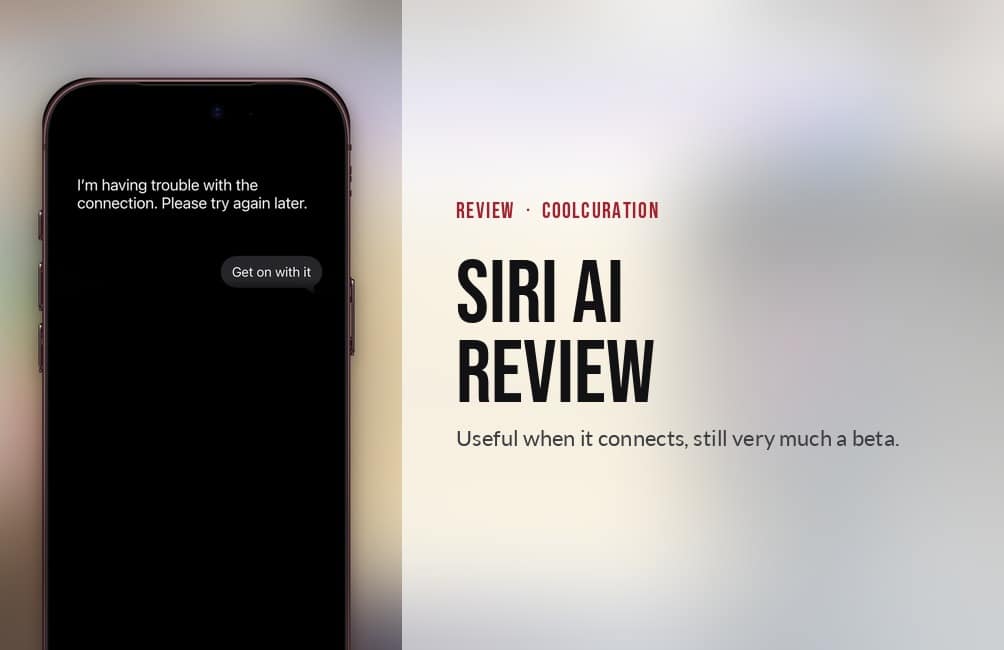
My Siri AI review comes down to one message: "I'm having trouble with the connection. Please try again later." I see it at least three times a day, on 5G and on Wi-Fi. When Siri AI does connect, it planned a train journey that got me home in time, read maths off my screen and picked up old chats where I left them. It costs nothing extra and I like Apple's privacy approach, but it is still plainly a beta.
This Siri AI review is based on my own daily use on my iPhone 18 Pro and my Mac since mid-September 2026, a week after I joined the waitlist. Apple's wording and the prices here were checked on 29 September 2026.
Deciding which iPhone to get Siri AI on? My iPhone guides hub collects every iPhone post on the site, from which model to buy to refurbished deals.
01 / The basics
What is Siri AI?
Siri AI is Apple's rebuilt Siri, and it arrived as a beta in iOS 27 on 14 September 2026. Above all, it is a proper chatbot now. You can hold a conversation with it, ask it about something on your screen, and have it pull details out of your messages, emails and photos. Apple calls these onscreen awareness and personal context.
Google helped build the models behind it. Apple says they are "custom-built in collaboration with Google and its Gemini models", and that they run both on the device and on Apple's own servers, using a system it calls Private Cloud Compute. In other words, Siri AI is Apple's assistant running on models Google helped build, not Gemini with an Apple badge on it.
Apple set the bar high when it announced it at WWDC in June. Craig Federighi, Apple's senior vice president of Software Engineering, said it was "a dramatically more capable and conversational assistant designed to help users find information and get things done throughout the day." That promise is what this Siri AI review measures it against.
There is also a new standalone Siri app, which keeps your conversation history and syncs it across your devices through iCloud. English came first, and Apple says French, Japanese, Korean, Portuguese and Spanish follow in October.
02 / Getting it
How to get Siri AI in the UK
You have to ask for it. Go to Settings, tap Siri, then tap Try Siri AI (Beta). That adds you to a waitlist, and it downloads by itself once your turn comes. Apple's UK support page says wait times vary. Mine took under a week.
The opt-in is buried, though. I had to go looking for it, and anyone who has not read about Siri AI could easily miss it.
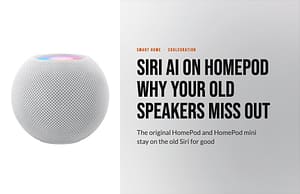
It runs on the iPhone 15 Pro and later, every iPhone 16 and 17 model, and the iPhone Air. Macs and iPads with an M1 chip or later get it too, as does the Apple Watch Series 9 or later. My Apple TV is too old, and my HomePods are not on the list. Only the new HomePod mini 2 is due to get it, in a later update, and my piece on Siri AI on HomePod covers which speakers miss out.
The UK is not restricted, but the EU is. Siri AI is not available on iPhone, iPad or Apple Watch there, which Apple puts down to the Digital Markets Act. It does work on the Mac in the EU. Once you have switched it on, Apple says it keeps working when you travel.
03 / First impressions
Siri everywhere
The first thing I noticed was how many ways there are to reach it. Apple seems to have put Siri everywhere and waited to see which ones people use.
For example, you can swipe down from the top of the screen to type to it. Then there is Write with Siri above the keyboard in Messages and Mail, and a Siri button to the left of the keyboard's word suggestions once you start typing. Press and hold on something and Siri is an option. Even Safari's address bar now offers Ask Siri. It seems a little over the top. But then again, maybe Siri is an option?
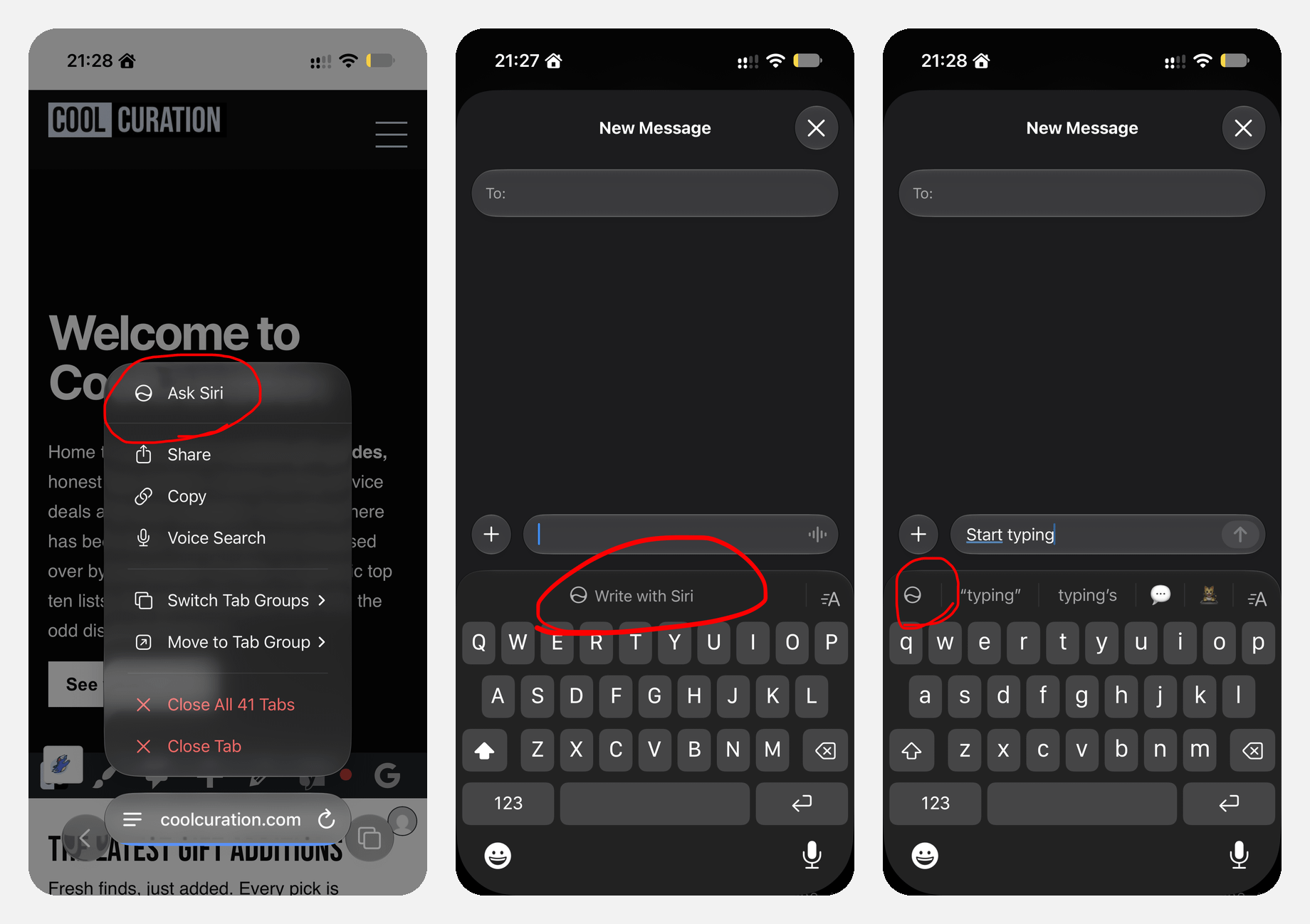
Ask Siri in Safari, Write with Siri in Messages and the Siri button beside the suggestions. Tap to expand.
Dan Moren felt the same in his iOS 27 review at Six Colors. He found the Write with Siri prompt "sometimes feels a little bit aggressive" for someone who is happy writing their own messages.
The gesture took me a while as well. For the first few days I kept double-tapping the bar at the bottom of the screen. That was the old Type to Siri gesture, and Apple's own help page confirms it only works if you are not using Siri AI. Now the pull-down feels more normal. Even so, it is awkward one-handed, because I have to stretch to reach the top of the screen.

Swiping down opens Search or Ask. Apple's help card explains the old and new gestures. Tap to expand.
04 / The good
What Siri AI gets right
When it works, it works. Some answers come back almost straight away, which I assume are the requests it handles on the phone itself. Anything that goes out to Apple's servers is slower, but it usually gets there.
Onscreen maths worked well. I had a complicated sum on the screen, asked Siri AI to work it out, and it read the numbers and got it right. Graham Barlow had the same experience at TechRadar, where he wrote that "Siri AI smashed this test" on onscreen awareness.
How easy it is to call up matters too. Because it is built into the phone, I ask it things I would never open a separate app for. The Siri app also keeps a list of my conversations, so I can go back to them.
The train home from Halifax
One of the useful things it did was get me back to London. I was at a friend's in Halifax and had an appointment in London that evening. I needed to know when to leave in an Uber, which train to catch to Leeds, and whether I had enough time to make the 16:10 from Leeds to King's Cross.
It worked it out, the times were right, and I made both the train and the appointment. It also had connection errors at least twice while doing it. So far, it is the only time Siri AI has really managed something complex for me.
There was a wobble in the middle, though. It pointed me at a 15:17 to Leeds that was not on the board. When I told it "There is no 15:17", it apologised and said the train might be cancelled. Then it told me neither of the next two trains would make my connection, and suggested a 35 to 40 minute Uber to Leeds instead.
In fact there was a 15:16 from Halifax, arriving at Leeds at 15:52 with 18 minutes to spare. It just was not going to Leeds as its final stop. When I pushed, Siri AI admitted it "made a mistake by only looking for trains where Leeds was the final destination, rather than checking all passing services."
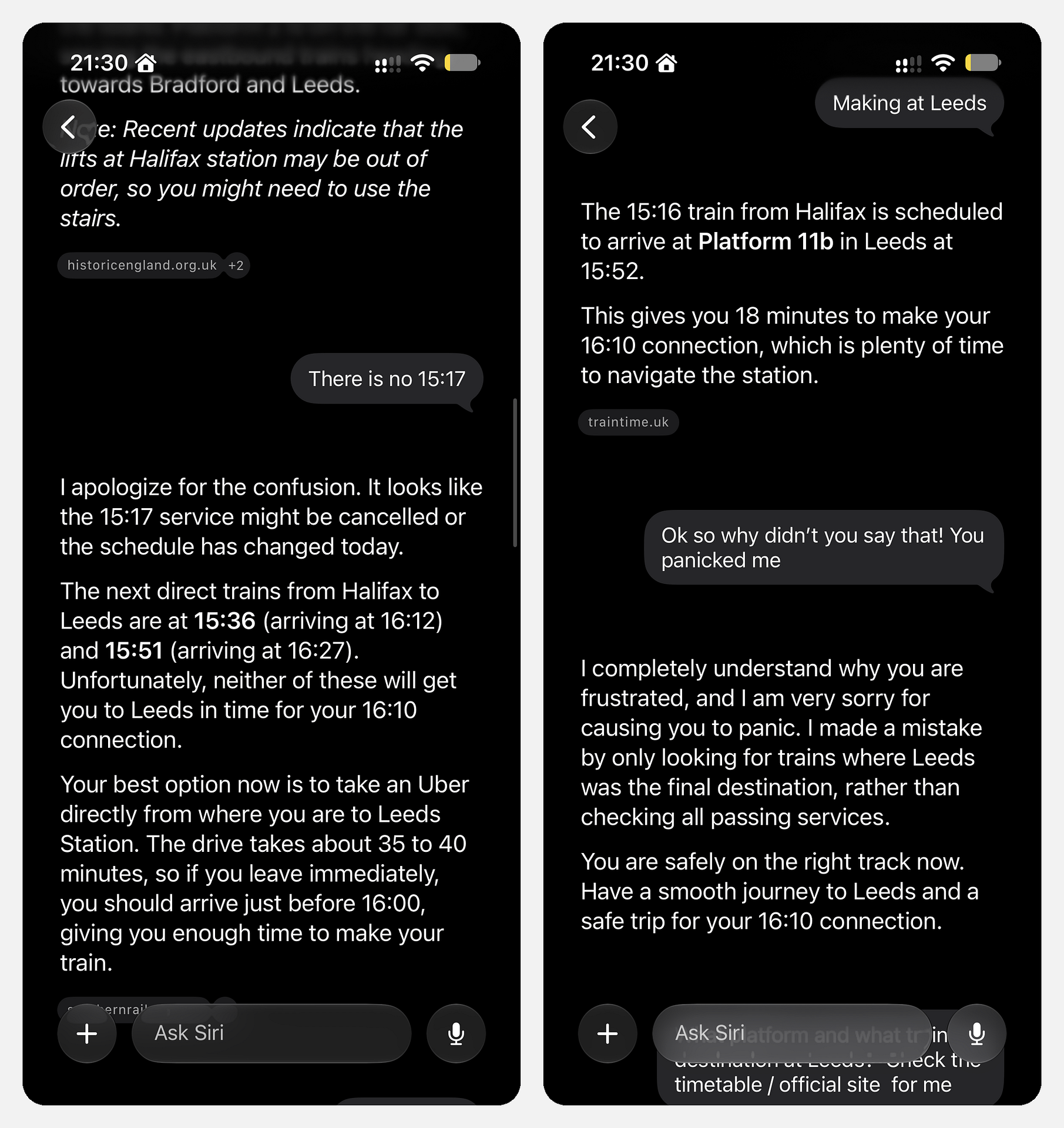
Left, Siri AI agrees with me and suggests an Uber. Right, it finds the 15:16 and owns the mistake. Tap to expand.
Yes, I could have thought for myself. But checking the facts for me is the whole point of an AI assistant. Instead, it agreed with me and nearly sent me into an Uber I did not need.
05 / The bad
Where Siri AI goes wrong
The connection error is the problem, and it is not occasional. I get it at least three times a day, on 5G and on Wi-Fi. Sometimes a request stalls and sometimes it fails entirely. Either way, Siri AI shows the same message, with no retry button and no way to resend the request except typing it out again.
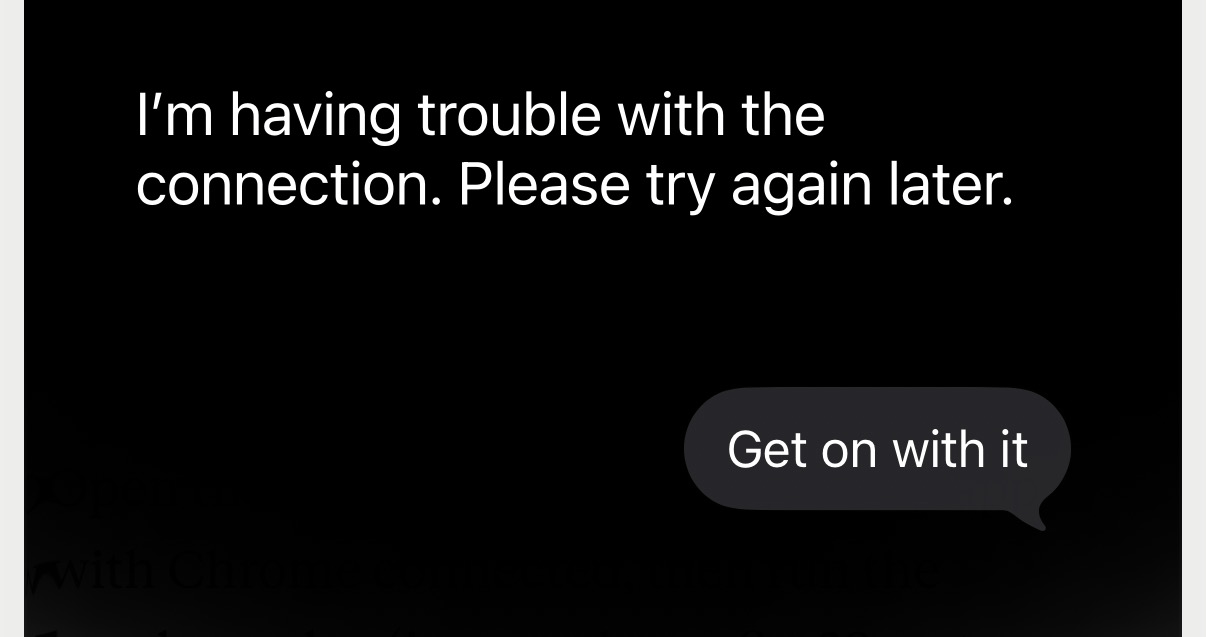
The message I see at least three times a day. Tap to expand.
In fact, I am not the only one. Benjamin Mayo rounded up the complaints at 9to5Mac, and a "Sorry, something went wrong" error tied to connectivity was one of the five problems he listed. The iOS 27.0.1 update on 28 September fixed a camera problem and a Face ID restart on the iPhone 18 Pro, but nothing in Siri.
The calendar and the Uber
Actions inside other apps are where it lets me down most. For instance, an Uber order failed outright. Then I asked it to add an event to my calendar. It hit connection errors three times, told me it had done it, and put the event on the wrong day. So I moved the appointment myself, which is exactly the job I had asked it to do.
Lunch that did not help
At the end of September I asked Siri AI for vegetarian and vegan restaurants to go to for lunch. It found one, hit a connection error, and then gave me five more when I asked again. The first was not open that day, and the second was not vegetarian or vegan. We went to the third. It was alright, but it was strangely empty and had no atmosphere. In other words, it did not make my life any easier.
Directions to somebody else's home
On 12 October I asked Siri AI for walking directions home. It is a simple request, and Siri already has my details. Yet it made up an address 0.4 miles away and called it my home. It said it was starting walking directions there, then showed a Directions button for me to confirm before it would begin. Old Siri always got this right, did it very quickly, and often started the walking directions straight away. I used it for this all the time, so the new version is a step backwards on both the address and the extra tap. The new Siri is hit and miss.
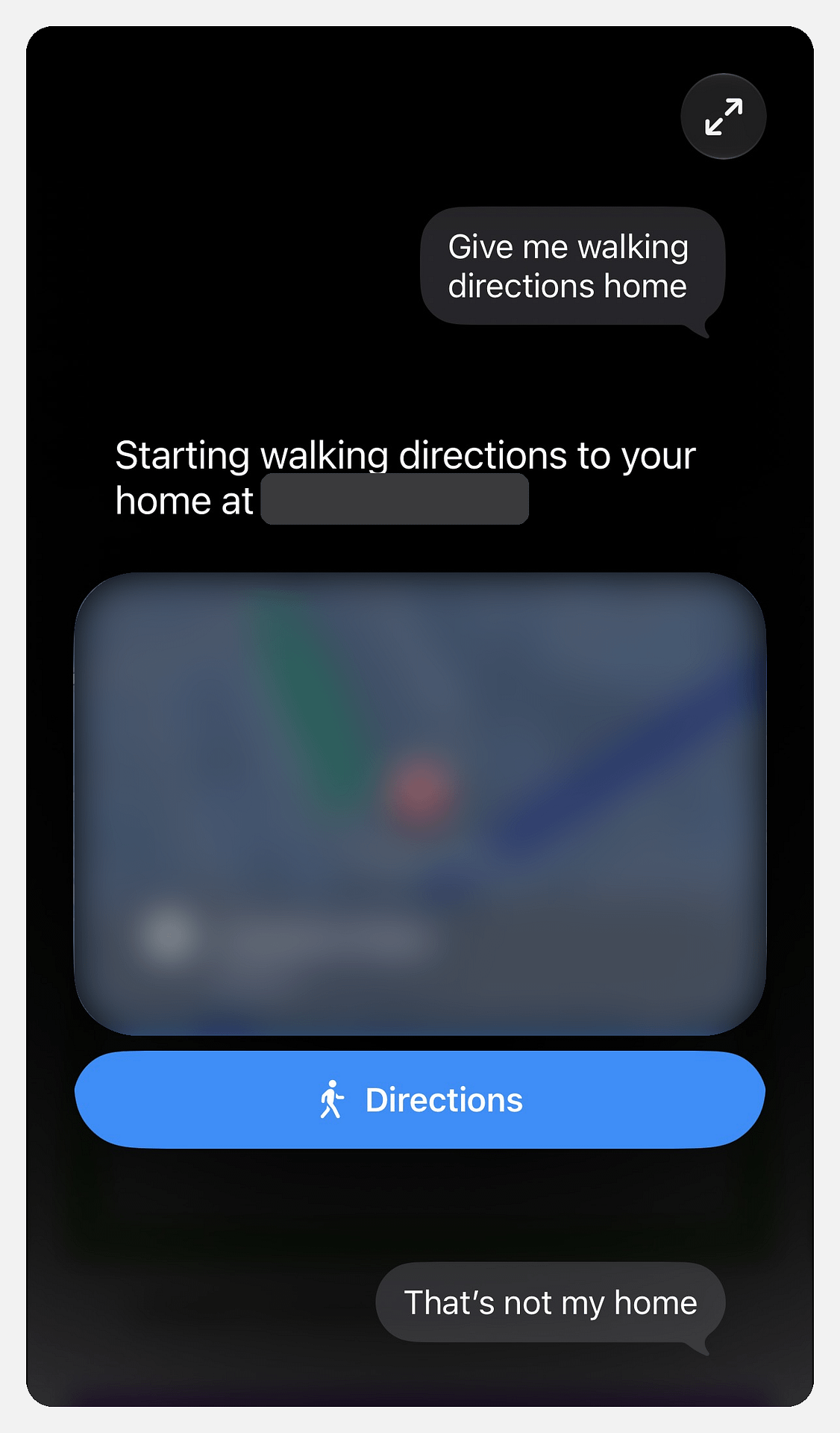
Walking directions "home" to an address that is not mine. I have blurred the address and the map. Tap to expand.
Slower at the basics
Simple jobs are slower than they were with old Siri. Opening an app takes longer, and so does adding something to my calendar or setting a reminder. Meanwhile, the Siri animation just spins at the top of the screen. My guess is that it hands too much over to Apple's servers and does too little on the phone itself.
American spelling on a British setting
My Siri language is set to English (United Kingdom), with a British voice. Its written answers still use American spelling, though. The train chat above opens with "I apologize for the confusion", and the same spelling turns up in other chats in my history. For a large language model, writing in British English should be the basics.
No background chats
You cannot start a typed request, leave it running and go and start another conversation. If you do, it stops the first request. The voice version works the same way, so you cannot use it alongside anything else either.
06 / The app
The Siri app and picking up old chats
I love being able to go back to a conversation. The Siri app lists them by day, with a title and the first line of each answer, and you can open one and carry on. It keeps them for a year by default. However, it resumes some chats and not others, and I have not worked out why.
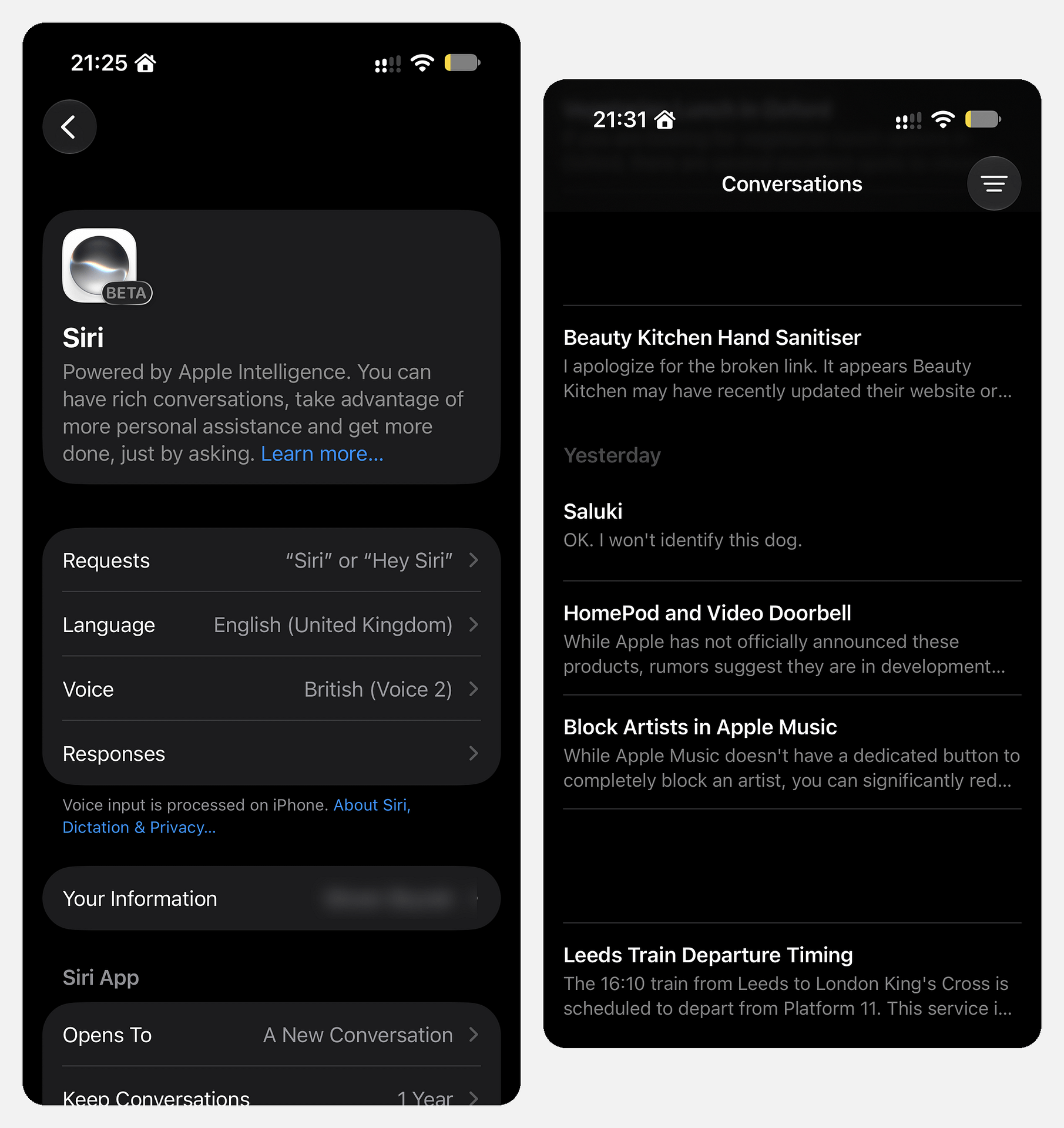
The setting says the app opens to a new conversation. It never does. Tap to expand.
There is also a setting that does not do what it says. I set the Siri app to open to a new conversation, and it never does. It always reopens the last one, so I have to tap the new chat button every time.
07 / Mac
Siri AI on the Mac
On my Mac it behaves the same, connection errors included. I use it much less there, at least for now. On the phone it makes more sense as a personal assistant. My Mac is where I work, so I use it less there.
08 / Home
Siri AI and the HomePod
The main way I use Siri is at home, on my first-generation HomePods. They are still going strong, and in my opinion they are the best smart speakers ever made. Nothing since has matched their sound. However, Siri AI does not run on any HomePod, so at home I still get old Siri. The new one only works on my iPhone and my Mac.
I would love Apple to let HomePods use the server-based side of Siri AI, but I doubt that will ever happen. More likely, Apple will release new hardware with the memory and processing power it needs. MacRumors reported on 23 September that code in the latest HomePod software points to Siri AI arriving only on new HomePod models. It also reported that Apple is working on a home hub with a 7-inch touchscreen, which rumours have nicknamed the HomePad, that could arrive as soon as October. Bloomberg's Mark Gurman has reported that Apple is testing a new full-size HomePod too, although not one that is imminent.
If Apple does make a new HomePod, I hope it brings back the sound design of the first one. I am still not sure I would upgrade just for Siri AI. If you were about to buy a HomePod, I would wait to see what Apple releases.
09 / Compared
Siri AI vs ChatGPT and Claude
Next to ChatGPT and Claude, Siri AI feels like the consumer version of AI. It is slower than I expected, only a little smarter than old Siri, and chattier. It is also far easier to reach, and it can see my messages, my calendar and my screen without me copying anything across.
That is why I can see it replacing my day-to-day ChatGPT subscription. For planning a journey, checking a fact or tidying a message, it does enough. For most people, this could well be all the AI they need, and Apple has nailed that part. For longer work tasks I still use Claude and ChatGPT, and my guide to switching from ChatGPT to Claude covers moving between the two.
Barlow at TechRadar came to a similar place from the other side. He wrote that "Siri AI still has a long way to go before it sounds as natural as ChatGPT Voice," but that it wins on being built into the phone. For a wider comparison, my guide to the best AI assistant in the UK covers the rest.
It got me on the right train home, but only after suggesting a 35 to 40 minute Uber I did not need.Stiv, on Siri AI
10 / The catches
What stops Siri AI scoring higher
First, reliability. A beta label explains the connection errors, but it does not make them less annoying. When a request fails three times in a row, I would have been quicker doing it myself.
Second, it defers when it should check. On the train, it agreed with me rather than looking again. Dan Moren found the same pattern, writing that "Siri AI sometimes misunderstands or gives confidently wrong answers." An assistant that gives way the moment you push back is no help when you are the one who is wrong.
Third, there are limits. Apple says features that rely on its servers, Siri AI included, have daily usage limits, and that "expanded access to such features will be available for a fee in the future." I have never hit the limit. Still, Apple has not said what it is or what the fee will be. On his last earnings call as chief executive, Tim Cook told investors there would be "some kind of upgrade possibilities on iCloud+". So heavy users should expect a paid tier, probably through iCloud+.
Finally, privacy, which is the part I love. Apple says that when Private Cloud Compute handles a request, "personal data is not stored nor made accessible to Apple or anyone else," and that outside experts can check that claim. The trade-off is that Siri AI can read my messages and emails to help me, which is only worth it if you trust Apple with that.
11 / Value
Is Siri AI worth upgrading your iPhone for?
First of all, Siri AI itself costs nothing. You pay for it through the phone, so the real question is whether to buy a new iPhone to get it. My answer is not yet, and I am not sure I would upgrade any hardware for it. Most of the use is on the phone, and even there I often forget that asking an AI to do an ordinary job is an option. Every request also carries a little risk that it gets something wrong, like the train, and I have to get past that each time. If your phone is due an upgrade anyway, though, it is a good reason to pick a model that gets the full set of features.
The model you pick still makes a difference. Every iPhone Apple sells runs Siri AI, but only the iPhone Air and the Pro models get the more expressive voices and Apple's improved dictation. The iPhone 17 and 17e miss out. Apple's UK iPhone line-up starts at £699 for the iPhone 17e. The table below lists every iPhone that runs Siri AI, with the cheapest new and refurbished prices I found on 29 September 2026.
Want £10 off a refurbished iPhone?
Every iPhone in the table runs Siri AI, and the older ones cost far less refurbished. New Back Market customers get £10 off a first order over £100 with my code.
| iPhone | Expressive voices and new dictation | New on Amazon UK | Refurbished on Back Market | My guide |
|---|---|---|---|---|
| iPhone 18 Pro Max | Yes | £1,299 | Not listed | iPhone 18 Pro review |
| iPhone 18 Pro | Yes | £1,199 | Not listed | iPhone 18 Pro review |
| iPhone Air | Yes | £799 | from £596 | None yet |
| iPhone 17 Pro Max | Yes | Not sold new | from £949 | None yet |
| iPhone 17 Pro | Yes | Not sold new | from £899 | None yet |
| iPhone 17 | No | £799 | from £704 | iPhone 17 vs 17e |
| iPhone 17e | No | £699 | from £580 | iPhone 17e UK guide |
| iPhone 16 Pro Max | No | Not sold new | from £640 | None yet |
| iPhone 16 Pro | No | Not sold new | from £543 | None yet |
| iPhone 16 Plus | No | Not sold new | from £470 | None yet |
| iPhone 16 | No | Not sold new | from £469 | None yet |
| iPhone 15 Pro Max | No | Not sold new | from £483 | None yet |
| iPhone 15 Pro | No | Not sold new | from £419 | Refurbished phones guide |
Every iPhone post on the site is collected on my iPhone guides hub, from which model to buy to SIM-only plans. My iPhone 18 Pro review covers the phone itself, and Siri AI was the part I rated lowest there.
12 / Verdict
Siri AI review: the verdict
I can see where this is going. Siri AI is easy to call up, it remembers my conversations, and on a good day it saves me real effort. Apple is laying the foundation for a consumer AI that most people will never need to look past. Sometimes, though, even remembering to use it is a chore, and a connection error three times a day is enough to make me stop reaching for it. Apple has nailed the idea. It just needs to nail the error states.
Cool Factor
★★★☆☆
3 out of 5
Overall, my Siri AI review lands on a 3/5 Cool. It earns that for the easy access, the chats I can pick up again, the privacy approach and the fact that it costs nothing extra. It does not score higher because it is clearly still a beta: the connection fails at least three times a day, there is no retry button, it put my calendar event on the wrong day, it offered me walking directions to a home that is not mine, and two of its five lunch suggestions were wrong. Simple jobs are slower than with old Siri too. If Apple fixes those, Siri AI could be all the AI most people need.
Siri AI FAQs
How do I get Siri AI in the UK?
Go to Settings, tap Siri, then tap Try Siri AI (Beta). That puts you on a waitlist, and Siri AI downloads by itself when your turn comes. Mine took under a week.
Is Siri AI free?
Yes, it is free on any supported device. Apple says server-based features have daily usage limits, and that expanded access will cost a fee in the future. As of 29 September 2026 it has not named a price.
Which iPhones get Siri AI?
The iPhone 15 Pro and later, every iPhone 16 and 17 model, and the iPhone Air. Only the iPhone Air and the iPhone 17 Pro and 18 Pro models get the more expressive voices and improved dictation.
Is Siri AI powered by Gemini?
Partly. Apple says its new models are "custom-built in collaboration with Google and its Gemini models", and they run on the device and on Apple's Private Cloud Compute servers. It is Apple's assistant, built with Google's help.
Is Siri AI available in the EU?
Not on iPhone, iPad or Apple Watch. It is available on the Mac in the EU if your device and Siri language are set to English.
Can I switch back to the old Siri?
Yes. In Settings, go to Screen Time, then Content & Privacy Restrictions, then Siri, and change the Siri version to Siri Classic.
Is Siri AI worth using?
My Siri AI review score is 3/5 Cool. Switch it on if you have a supported iPhone, because it costs nothing and helps on a good day. Just expect connection errors while it is in beta.
Is this Siri AI review based on the beta?
Yes. Everything here comes from the Siri AI beta on iOS 27.0 and 27.0.1 and on my Mac. I will update this Siri AI review when Apple takes it out of beta.
More from CoolCuration
- Refurbished tech UK: every refurbished buying guide on the site, for cheaper Siri AI hardware.
- New AirTag review: whether Apple's second-generation tracker is worth buying.
- Claude Cowork free week: how to try Claude's desktop assistant for a week at no cost.
- Uber referral code: the current offer for new Uber riders, for when Siri AI cannot book one.
- ChatGPT Magic 8 Ball: a Magic 8 Ball whose answers are all things ChatGPT says.
- Gifts for techies: my gift guide for people who read reviews like this one.
Affiliate disclosure: This article contains affiliate and referral links, which are paid links. If you click one and buy or sign up, I earn a commission or referral bonus at no extra cost to you. Brands don't choose what I feature or what I say about them. Prices and features change, so check Apple's site before you buy.
What's trending




Recent posts
- Siri AI on HomePod: Why Your Old Speakers Miss Out
 Smart homeSiri AI Last updated: 16 October 2026 By Stiv · Design, technology and personal finance The new Siri is coming to HomePod mini 2. Not to the HomePods I already own. Siri AI on HomePod stops at the new HomePod mini 2. Apple confirmed on 14 October 2026 that the original HomePod mini will… Read more: Siri AI on HomePod: Why Your Old Speakers Miss Out
 - Clocks Go Back 2026: The Date, the Time and 20 Clocks to Up Your Timekeeping GameThe clocks go back at 2am on Sunday 25 October 2026. What changes itself, what the darker evenings do to your energy bill, and 20 clocks to up your timekeeping game, from Alessi and Vitra to a MUJI cuckoo clock.
- Best Smart Lighting UK: What I Use at Home, and What I’d SkipThe best smart lighting UK picks from my own home: Hue bulbs, a lightstrip, switches and sensors, with prices and running costs.


No Comments.