
Last updated: 24 October 2026
By Stiv · Design, technology and personal finance
I've had Sprive connected to my bank account and mortgage since October 2021, Nationwide first and Halifax since a June 2026 remortgage. Everything in this guide is informed by using the app with my own money since then.
Connecting a new app to your bank account and mortgage feels risky. I had the same reaction the first time I looked at Sprive: "wait, you want access to my bank so you can pay off my mortgage faster?" It sounded clever but also slightly terrifying. So before trusting it with my own accounts, I checked whether Sprive is safe: who regulates it, how Open Banking protects your bank login, and where your money is actually held. Here's what I found.
This article contains affiliate and referral links, which are paid links. If you click one and buy or sign up, I earn a commission or referral bonus at no extra cost to you. Brands don't choose what I feature or what I say about them. CoolCuration is not authorised by the Financial Conduct Authority and does not give financial advice.
Already convinced and just want the bonus?
The live Sprive sign-up offer and the claiming steps are on our referral page.
Your home may be repossessed if you do not keep up repayments on your mortgage.
Checking Sprive out properly? Sensible. Once you have read this, our Sprive guides hub collects every guide we have written on the app in one place.
What Sprive does
Sprive is a UK mortgage overpayment app. It connects to your bank via Open Banking, analyses your spending, and helps you set aside small amounts for overpayments. On top of that, it offers cashback on in-app shopping that feeds into your mortgage pot. If you're new to it, our guide on what Sprive is covers what the app does and how to set it up.
Is Sprive safe? The regulation check
The quickest way to check whether any financial app is legitimate in the UK is to look it up on the FCA Register. Sprive Limited is listed as an Appointed Representative (FRN 919863), and you can view Sprive's FCA register entry directly. Its principal firms for mortgage services are Connect IFA Ltd (FRN 441505) and New Leaf Distribution Limited (FRN 460421), both directly authorised and regulated by the FCA. You can view Connect IFA's FCA register entry directly and view New Leaf Distribution's FCA register entry directly.
In practical terms, this means Sprive operates within the UK's regulatory framework for the mortgage-related services it provides. However, "Appointed Representative" is not the same as being directly authorised, so it's worth understanding the distinction. The FCA explains how to interpret register entries in their guide to checking a firm's status. CoolCuration itself is not authorised by the FCA and does not give financial advice.
You can also cross-reference Sprive's own disclosures on their privacy and disclosures page to confirm partner details match what the register shows.
How Sprive connects to your bank
Sprive uses Open Banking to link to your current account. This is a consent-based system regulated in the UK, and it works differently from simply handing over your login details.
When you connect, you're redirected to your own bank's authorisation screen. You approve exactly what data the app can see, and Sprive never receives or stores your bank password. If you change your mind later, you can revoke access through your bank's connected apps settings at any time.
The connection typically expires every 90 days, at which point the app prompts you to re-authorise. This is a standard Open Banking feature, not a Sprive quirk. In my experience with Nationwide, the re-authorisation takes about 30 seconds and happens roughly four times a year. Open Banking Ltd covers the security model in their safety guide.
What can the app actually do with your account?
Open Banking access lets Sprive read your transactions so it can suggest what you can afford to set aside. Importantly, it cannot move money without your authorisation. Overpayments are only made when you approve them through the flow you've set up. If anything ever asks you to hand over your bank password directly, that's a red flag, and not how Sprive's connection works.
Where does your money go?
Money you set aside through Sprive doesn't sit in Sprive's own business account. Instead, funds are held in an e-money account via Sprive's wallet provider, PrePay Technologies Limited (FRN 900010), which is authorised by the FCA under the Electronic Money Regulations. You can view PrePay Technologies' FCA register entry directly.
There's an important nuance here. E-money funds are protected through safeguarding, which means they're kept separate from the company's own operating money. However, safeguarding is not the same as FSCS protection. If the firm were to fail, safeguarding is designed to ring-fence your funds, but there can be delays or, in rare cases, shortfalls. Sprive's own FAQ explains this: the services EPS offers are not covered by the FSCS, and in the event of insolvency, although relevant funds are safeguarded under the Electronic Money Regulations, it could take longer for monies to be refunded and some costs could be deducted by the administrator. This distinction matters, and it's worth reading Sprive's terms so you understand exactly how it applies to your balance.
Practical takeaway
Don't leave large sums sitting in the Sprive wallet for extended periods if you're concerned about this. The app is designed to move money towards your mortgage, not to act as a savings account. Use it as intended and the risk profile stays low.
What about your data?
Sprive states that it uses encryption both in transit and at rest (256-bit TLS encryption for communications and AES symmetric cryptography for stored sensitive data), and that it never stores or has access to your bank login details. For the specific technical details, their FAQ page and privacy policy are the most accurate sources, because those are the documents Sprive is legally bound by.
If you decide to stop using the app, you can disconnect Open Banking access via your bank and request data deletion through Sprive's privacy policy process.
How does Sprive make money?
If the app is free, how does it stay afloat? Two main revenue streams keep the lights on:
Cashback commissions. When you shop through the "Shop with Sprive" feature, retailers pay Sprive a commission. You still receive the cashback in your mortgage pot, and Sprive takes a cut from the retailer side.
Mortgage broking fees. Sprive's longer-term model is to help you remortgage when your fixed deal ends. If you choose to remortgage through them, the lender pays Sprive a commission, exactly like any other mortgage broker.
You're not paying with hidden fees or your data. However, it's still worth reading the data-sharing section of their privacy policy and making your own call. For a deeper breakdown of the business model: how does Sprive make money.
Using Sprive safely: what I noticed in practice
I've used Sprive with my own bank account and mortgage since October 2021. In that time I've made more than £10,000 in overpayments through the app. The main question I cared about was straightforward: did anything feel off, pushy, or hard to undo?
Setup felt transparent
Connecting my bank pushed me through Nationwide's normal Open Banking consent screens. At no point did I hand over my password to Sprive, and I could see exactly what I was granting access to.
Money only moved the way I set it up
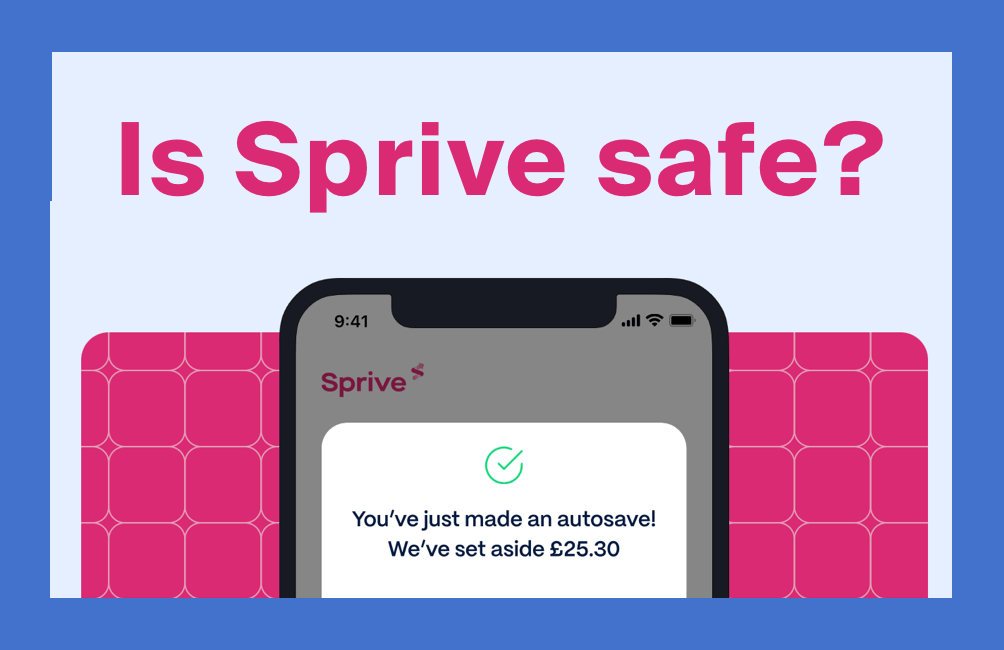
Auto-save collects money by direct debit, within the minimum and maximum I chose. Overpayments go to my lender when I send them, and I can pause or change my saving limits whenever I want.
Clear confirmation on both sides
When I sent an overpayment, I received confirmation from both Sprive and my bank. That double-confirmation makes it easy to track what happened without relying solely on the app's records.
Easy to walk away
If you decide Sprive isn't for you, there's no locked-in commitment. You can disconnect the bank link, stop saving, and stop using the app without it becoming a saga. Money set aside by auto-save can be withdrawn back to your bank, though cashback earned from shopping can only be paid to your mortgage.
Any red flags?
The only minor annoyance I've experienced is the bank connection refreshing roughly every 90 days, which is standard Open Banking behaviour rather than anything specific to Sprive. Since 2021: no surprise transfers, no permissions creep, and no pressure to take actions I didn't choose.
For a full verdict on whether the app is worth using day to day (beyond just the safety question), our Sprive mortgage app review covers the experience in detail.
Is Sprive legit or a scam?
Sprive is legit. Sprive Limited is a real UK company on the FCA Register (FRN 919863), as an appointed representative of two FCA-authorised mortgage firms, Connect IFA Ltd and New Leaf Distribution Limited. Money in the app is held by PrePay Technologies Limited, an FCA-authorised e-money institution, and is safeguarded rather than FSCS-protected.
The scam worry usually comes from the pitch: an app that wants access to your bank so it can pay off your mortgage. In practice, Sprive never sees your bank password, auto-save only collects within the limits you set, and overpayments go to your own lender. I have used it since October 2021 and sent more than £10,000 to two lenders through it, Nationwide and then Halifax, with each overpayment confirmed by both Sprive and the lender.
Scammers do copy well-known finance brands, so only download Sprive from its official App Store or Google Play listing, and check the FCA Register entry yourself rather than trusting a link in a message.
My verdict: is Sprive safe?
Based on what I can verify and my own use since 2021, Sprive appears legitimate and safe to use. It operates within the UK regulatory framework, uses Open Banking rather than password sharing, and holds your funds through a safeguarded e-money provider.
That said, "safe" still depends on you understanding what you're authorising. Before signing up, check your own mortgage terms (particularly overpayment allowances and ERCs), read Sprive's current disclosures, and verify the FCA register entry for yourself.
Verify it yourself in 60 seconds:
- Check Sprive Limited (FRN 919863) on the FCA Register.
- Check Connect IFA Ltd (FRN 441505) on the FCA Register.
- Check New Leaf Distribution Limited (FRN 460421) on the FCA Register.
- Check PrePay Technologies Ltd (FRN 900010) on the FCA Register.
- Read the FCA's guide on how to check a firm is authorised.
- Cross-check Sprive's own disclosures and Open Banking's safety guide.
Ready to try Sprive?
If you've read enough to feel comfortable, the current sign-up bonus and claiming steps are on our referral page:
Get the current Sprive referral bonus
If you found Sprive through Dragons' Den or the Channel 4 advert, our Sprive advert explainer covers where you have seen it, and every other guide lives on our Sprive guides hub.
FAQs
Is Sprive legit?
Yes. Sprive Limited is on the FCA Register (FRN 919863) as an appointed representative of Connect IFA Ltd and New Leaf Distribution Limited, and money in the app is safeguarded by PrePay Technologies Limited. I've used it with my own mortgage since October 2021.
Is Sprive a scam?
No. It is a regulated UK app that sends overpayments to your own mortgage lender, and it connects to your bank through Open Banking, so it never asks for your bank password. Be wary of messages or lookalike apps using Sprive's name, and check the FCA Register entry yourself.
Is Sprive regulated by the FCA?
Sprive Limited is listed on the FCA Register as an Appointed Representative (FRN 919863), and you can verify Sprive's entry on the FCA Register. Its principal firms for mortgage services are Connect IFA Ltd (FRN 441505) and New Leaf Distribution Limited (FRN 460421), both directly authorised and regulated by the FCA. You can verify Connect IFA's entry and verify New Leaf Distribution's entry on the FCA Register. Payment and e-money services are handled by PrePay Technologies Limited (FRN 900010), and you can verify PrePay Technologies' entry on the FCA Register.
Is my money protected with Sprive?
Money held in Sprive is safeguarded through its e-money provider, PrePay Technologies Limited (FRN 900010). Safeguarding keeps your funds separate from the company's operating money, but it is not the same as FSCS protection. For most users, the practical approach is to avoid leaving large balances in the wallet for extended periods.
Can Sprive access my bank password?
No. Sprive uses Open Banking, which means you authorise access through your bank's own login screen. Sprive never sees or stores your password. You can revoke access at any time through your bank's connected apps settings.
What happens if I want to stop using Sprive?
You can pause saving, disconnect your bank, and withdraw any auto-save balance back to your account. Cashback earned from shopping can only be paid to your lender. There's no lock-in period or cancellation fee. If you also want your data removed, Sprive's privacy policy outlines how to make a deletion request.
Is Sprive safe to use on a fixed-rate mortgage?
Yes, but you need to stay within your annual overpayment allowance to avoid Early Repayment Charges. This is a lender rule, not an app limitation. Our Sprive overpayment rules guide explains what to check before you start.
More from CoolCuration
- Best cashback apps UK: the top cashback apps worth installing if you want easy money back on everyday spending.
- TopCashback referral code: earn cashback on purchases you'd make anyway, with a sign-up bonus to start.
- Emma app premium trial: track your spending and subscriptions so you can spot savings you're currently missing.
- Gifts for homebodies: cosy picks for anyone who'd rather save money staying in than going out.
- Hive thermostat smart heating: smart heating control that can trim your energy bills over time.
This article is for informational purposes only and does not constitute financial advice. CoolCuration is not authorised by the Financial Conduct Authority. Your home may be repossessed if you do not keep up repayments on your mortgage. Always check your mortgage terms, read the relevant provider disclosures, and consult a qualified financial adviser before making changes to your financial arrangements.
What's trending





Recent posts
- Siri AI on HomePod: Why Your Old Speakers Miss Out
 Smart homeSiri AI Last updated: 16 October 2026 By Stiv · Design, technology and personal finance The new Siri is coming to HomePod mini 2. Not to the HomePods I already own. Siri AI on HomePod stops at the new HomePod mini 2. Apple confirmed on 14 October 2026 that the original HomePod mini will… Read more: Siri AI on HomePod: Why Your Old Speakers Miss Out
 - Clocks Go Back 2026: The Date, the Time and 20 Clocks to Up Your Timekeeping GameThe clocks go back at 2am on Sunday 25 October 2026. What changes itself, what the darker evenings do to your energy bill, and 20 clocks to up your timekeeping game, from Alessi and Vitra to a MUJI cuckoo clock.
- Best Smart Lighting UK: What I Use at Home, and What I’d SkipThe best smart lighting UK picks from my own home: Hue bulbs, a lightstrip, switches and sensors, with prices and running costs.



No Comments.