
Parallels Desktop for Mac
Last updated: 5 October 2026
This article contains affiliate and referral links, which are paid links. If you click one and buy or sign up, I earn a commission or referral bonus at no extra cost to you. Brands don't choose what I feature or what I say about them.
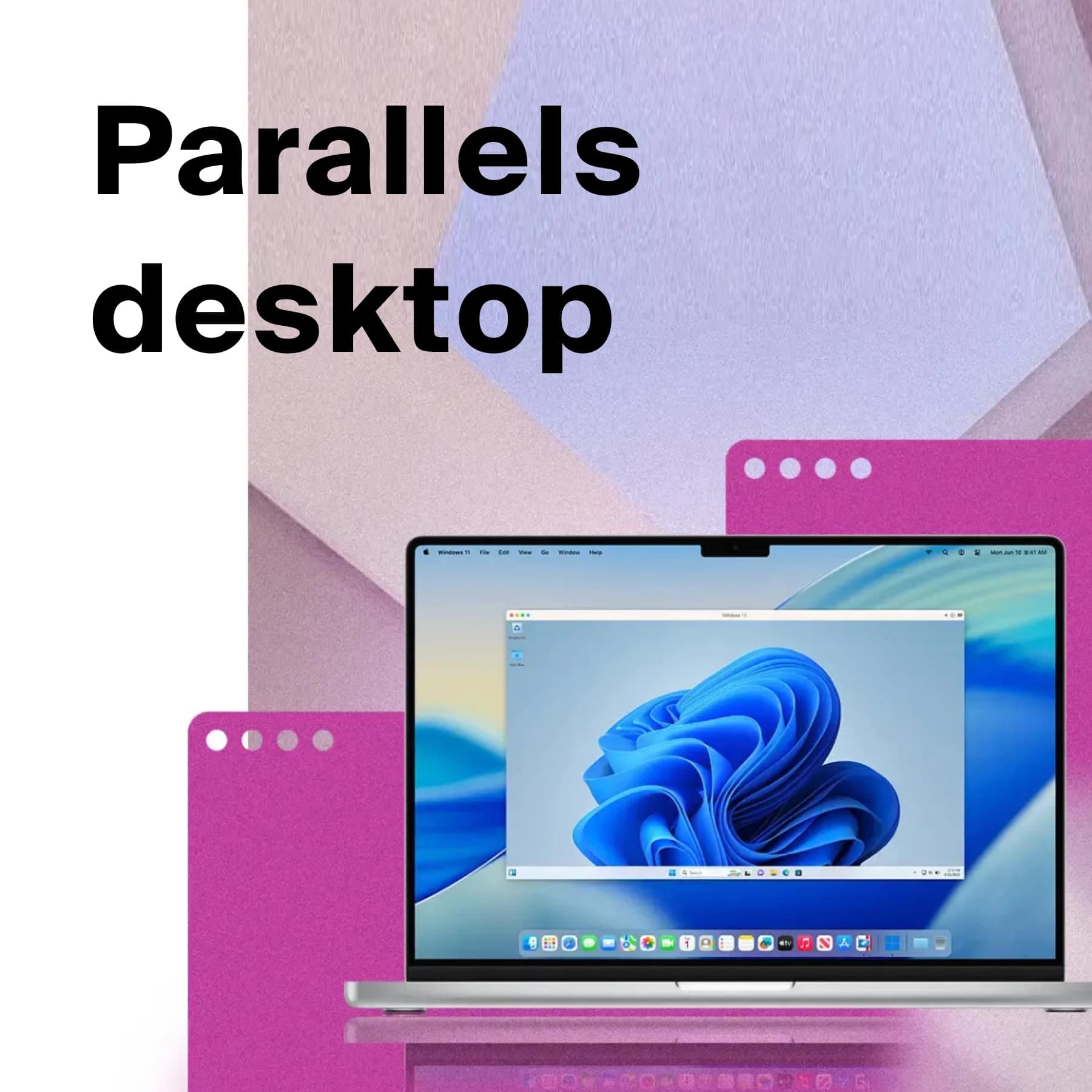
Parallels Desktop for Mac runs Windows 11 in a window on your Mac, so a Windows-only program opens next to your Mac apps without a restart. On Apple silicon Macs it runs the Arm version of Windows 11, and Microsoft lists Parallels Desktop as an authorised way to do that.
On 5 October 2026 Parallels was selling the Standard Edition at £49.49 a year (45% off £89.99), Pro at £54.99 (45% off £99.99) and Business at £77.99 (35% off £119.99). There is a 14-day free trial and a 30-day money-back guarantee. Prices and requirements come from parallels.com and the Parallels knowledge base.
What Parallels Desktop does
Parallels Desktop is a virtualisation app. You install Windows inside it, and Windows then runs as a guest on your Mac, with its programs opening in their own windows. You can also run Linux, or a second copy of macOS, the same way.
Most people buy it for one program. Common examples are Windows-only accounting or trading software, the Windows version of Excel (which still has features the Mac version lacks), and engineering tools such as SolidWorks or Revit. Developers use it to test software on several operating systems at once.
A Windows licence is not included. You can download Windows and set it up inside Parallels, but you need to buy a licence from Microsoft to activate it. If you already own one, it may work, depending on its terms.
Standard, Pro or Business: which Parallels Desktop edition
All three editions run the same Windows apps. The difference is how much of your Mac a virtual machine can use, and the tools around it.
- Standard Edition: each virtual machine gets up to 8 GB of memory and 4 processor cores. Sold as a yearly subscription or as a one-time licence.
- Pro Edition: up to 128 GB of memory and 32 processor cores per virtual machine, plus a command-line interface and developer tools. Subscription only.
- Business Edition: everything in Pro, plus central licence management, deployment through Mac management tools and volume licences for teams. Subscription only.
For Office, accounting software or a browser that only works properly on Windows, Standard is enough. If you run CAD, graphics-heavy programs or more than one virtual machine at a time, the 8 GB cap on Standard will hold you back, so pick Pro. Pro costs £5.50 more a year at the October prices.
What your Mac needs for Parallels Desktop 27
Version 27 is the current release, and it needs a Mac with Apple silicon: any M-series chip, or the A18 Pro in the MacBook Neo. If your Mac has an Intel chip, Parallels Desktop 26 is the last version that supports it.
- Memory: 8 GB minimum, 16 GB or more for graphics-heavy work or several virtual machines.
- Storage: 600 MB for Parallels itself, plus at least 16 GB for Windows. An SSD is recommended.
- macOS: Sonoma 14.7 or newer, Sequoia 15.5 or newer, Tahoe 26, or the next macOS when it is released.
- Graphics: full hardware acceleration needs an M3 chip or newer.
The full list, with footnotes for older macOS versions, is on the Parallels Desktop system requirements page.
Parallels Desktop prices in the UK
These are the prices parallels.com showed on 5 October 2026:
- Standard Edition: £49.49 a year, down from £89.99
- Pro Edition: £54.99 a year, down from £99.99
- Business Edition: £77.99 a year, down from £119.99
A subscription includes every new version and unlimited phone and email support. The one-time licence, available on Standard only, lets you keep using the version you bought, but it does not include the next major version. Each version supports a set list of macOS releases, so if you update macOS every year, the subscription is the safer buy.
Parallels did not show an end date for the 45% discount. Check the price in your basket, and the renewal price, before you pay. Our link opens the Parallels buy page, where the sale prices already show, so you do not need a discount code.
Try it free for 14 days
The free trial gives you Parallels Desktop Pro for 14 days. Install the one Windows program you need it for and run a normal working session from start to finish. You also have 30 days to ask for a refund after buying.
Limits to know before you buy
- The Windows licence: it is a separate cost, paid to Microsoft.
- The yearly fee: Pro and Business are subscription only, so the cost comes round every year.
- The Standard memory cap: 8 GB per virtual machine is fine for office software but tight for design and engineering work.
- Intel Macs: version 27 does not support them.
- Arm Windows: on Apple silicon you run the Arm version of Windows 11. Microsoft warns that some hardware, games and apps will not work, including those that rely on DirectX 12. Test your program in the free trial first.
Parallels Desktop FAQs
Do I need a Windows licence to use Parallels Desktop?
Yes. Parallels does not include one. You can install Windows without a licence, but you need one from Microsoft to activate it.
Does Parallels Desktop work on Intel Macs?
Version 26 does. Version 27, the current release, needs an Apple silicon Mac with an M-series or A18 Pro chip.
Is there a one-time purchase?
Only for the Standard Edition. You keep the version you bought, but new major versions are not included. Pro and Business are yearly subscriptions.
Is there a free trial?
Yes. Parallels offers 14 days of the Pro Edition free, and a 30-day money-back guarantee on purchases.
Standard or Pro: which do I need?
Standard covers office software and most everyday Windows programs. Pick Pro for CAD, graphics-heavy programs, development tools or more than one virtual machine at once, because it lifts the memory limit from 8 GB to 128 GB.
More from CoolCuration
- Best refurbished MacBooks UK: Apple silicon models and prices, if your current Mac is still on Intel.
- Affinity by Canva: the free design suite that runs natively on a Mac.
- Framework Wireless Touchpad Keyboard: the UK specs for Framework's keyboard with a built-in touchpad.
- 1Blocker: the Safari ad blocker, free or Premium from £2.99.
- Gifts for technology lovers: our picks for people who live on their laptops.



















Follow us: Instagram
Copyright 2026 CoolCuration | Privacy Policy | Cookie Policy | Affiliate Disclosure | Cool Factor
-----------
We are proud supporters of a safer more private internet via encouraging people to use Brave browser and are actively taking on Spammers as part of ProjectHoneypot. This site is hosted on servers that run on 100% renewable energy in the UK thanks to GreenWebHosting.
This site contains affiliate links, including to Amazon.com and Amazon.co.uk. We may earn a commission if you make a purchase or sign up for a service via these links, at no extra cost to you. All offers and promotions are accurate at the time of publication but are subject to change or withdrawal by the businesses featured. We cannot guarantee their continued availability. Read our full affiliate disclosure.
Reviews and opinions on CoolCuration reflect the personal experience of our writers at the time of publication. They are not professional endorsements and your experience may differ. Scores use our Cool Factor rating system and are given independently of any commercial relationship.
All content on CoolCuration is provided for informational and entertainment purposes only. It does not constitute financial advice, investment recommendations or an endorsement of any product or service. We are not authorised by the Financial Conduct Authority and do not offer personalised financial guidance. You should always do your own research or consult a qualified financial advisor before making any financial decisions.